Batch wise Sales
Batch wise Sales answers one question: who bought this batch? Choose a product and the report lists every sale of each of its batches, with the customer, the date, the bill and the units. Use it when a manufacturer recalls a batch, when an inspector asks where a batch went, or when a customer wants to know which batch they were sold.
Open the report
Press Alt+5 for Stock Reports, then T. The cursor is in the Item field: the report is empty until you choose a product.
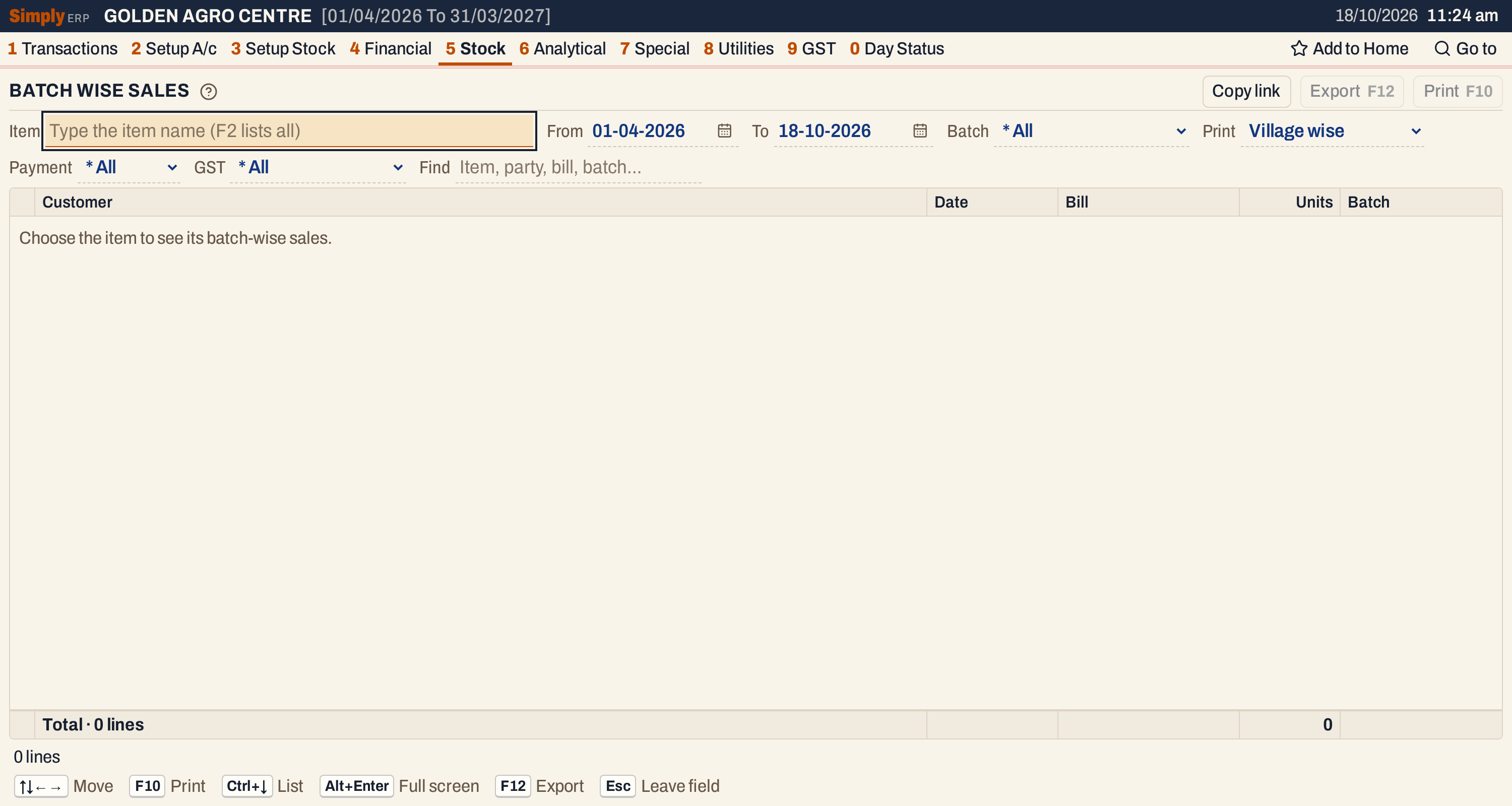 Nothing is listed until a product is chosen.
Type a part of the product’s name, move to it with ↓ if needed, and press Enter. F2 lists all the products.
 The list shows the product and its manufacturer, and its register page when it has one.
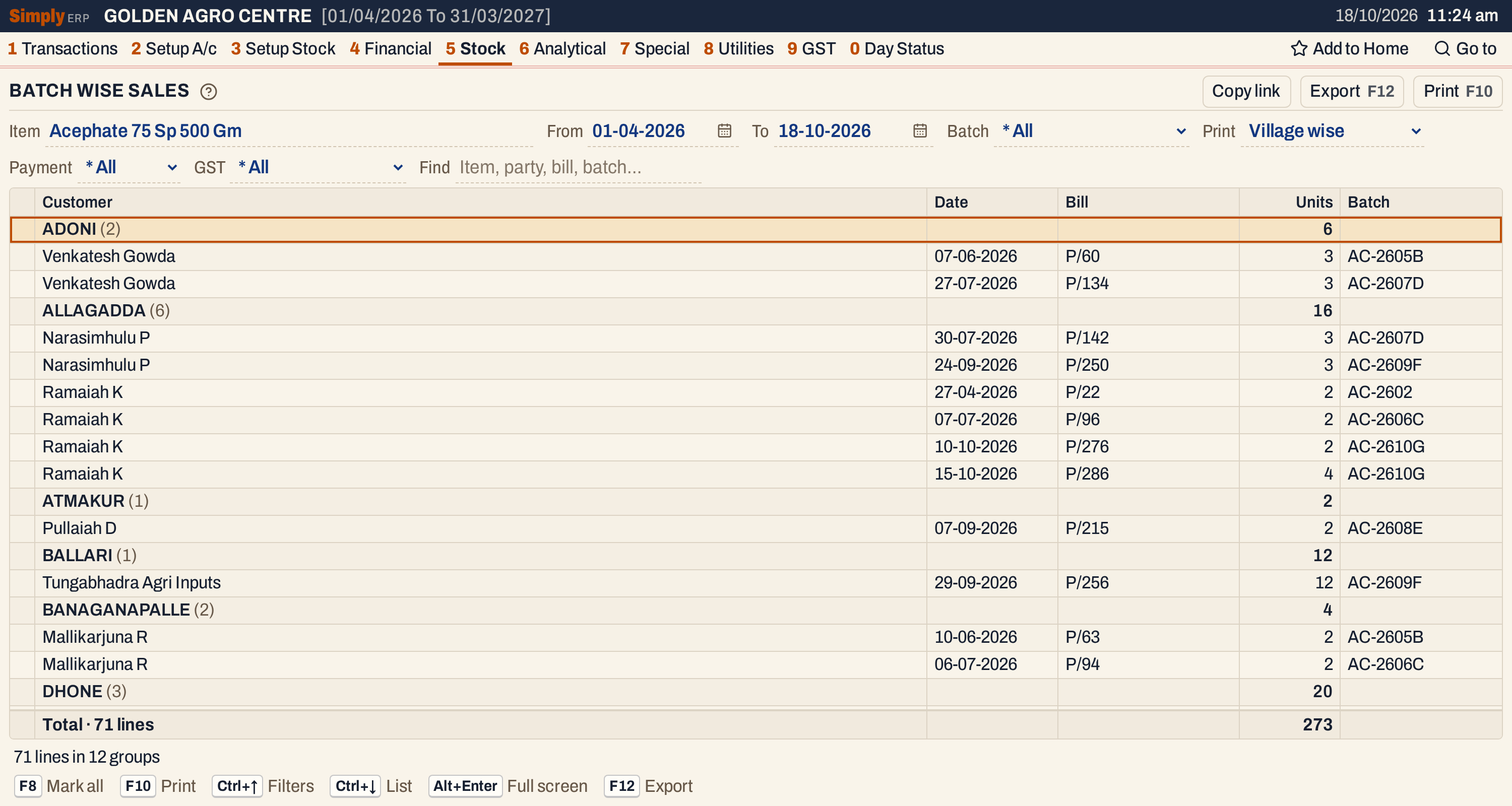 A heading for each village with the units sold there, and under it a line for each customer, bill and batch.
What it lists
Sale bills of the chosen product only: one line for each bill and batch. A bill that sold two units from one batch and one unit from another is two lines. Lines without a batch number are left out.
Which batches are listed depends on the period, but all the sales of those batches are listed, whatever their dates:
- a batch is found when the product has a purchase, sale, sales return or purchase return of that batch with a posting date in the period, or when the batch is one of the product’s opening batches (3 G);
- for each batch found, every sale bill of it is listed, also the sales made before or after the period.
The date of a line is the posting date of the bill.
Columns
| Column | What it shows |
|---|---|
| Customer | With Village wise, the customer of the bill, or the party it ships to when the bill has Ship to another ticked. With Customer wise, the column is titled Customer / village and is blank on a line; the heading gives the customer and the village. A bill without a customer name shows Cash Sales. |
| Date | The posting date of the bill. |
| Bill | The bill number. |
| Units | The units sold on that bill from that batch. On a heading, their total. |
| Batch | The batch. |
A heading shows its name with the number of lines in brackets and the total units. The line at the bottom counts the lines and adds up the units. The status line says how many lines there are and in how many groups.
Choices
| Choice | What it does |
|---|---|
| Item | The product. Required. Changing it clears the marks and the batch. |
| From, To | The period that finds the batches (see above). Both days must fall in the financial year. It opens from the first day of the year to today. |
| Batch | * All or one of the batches listed. |
| Village wise (the usual) or Customer wise. It changes the screen and the print. | |
| Payment | * All, Cash or Credit. Bills paid by card or wallet are listed only under * All. |
| GST | * All, Registered (customers with a GSTIN) or Unregistered. |
| Find | Shows only the lines whose customer, village, bill number or batch matches what you type. |
Every choice is kept in the page address, so Copy link gives a link that opens the same report.
 The choices above the list.
How the lists are made
Village wise. The lines are grouped by the village (the place saved with the customer on the bill; the place of the ship-to address when the bill has one). Villages come in name order, with bills of customers without a place under (No village) last. Inside a village the lines are in the order customer, batch, date.
Customer wise. The lines are grouped by customer, and a customer who bought in more than one village has a heading for each. Customers come in name order, and inside a customer the lines are in the order village, batch, date.
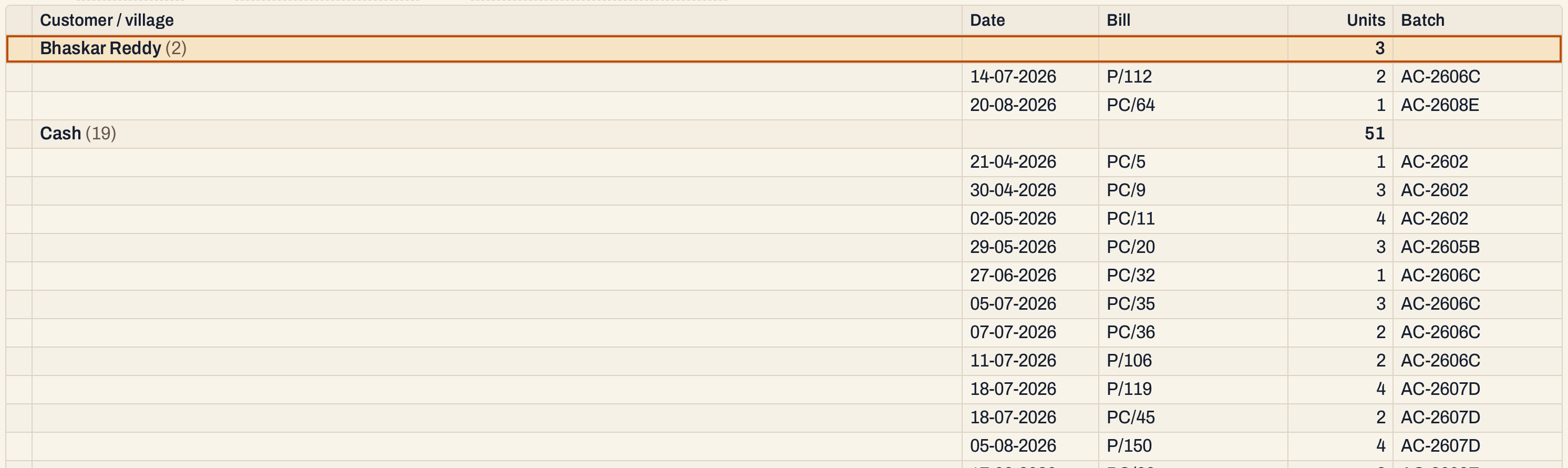 Customer wise: the lines of a customer follow its heading, with the customer’s name left out of each line.
One batch. Choose a batch in Batch to list only its sales. The totals follow the lines shown.
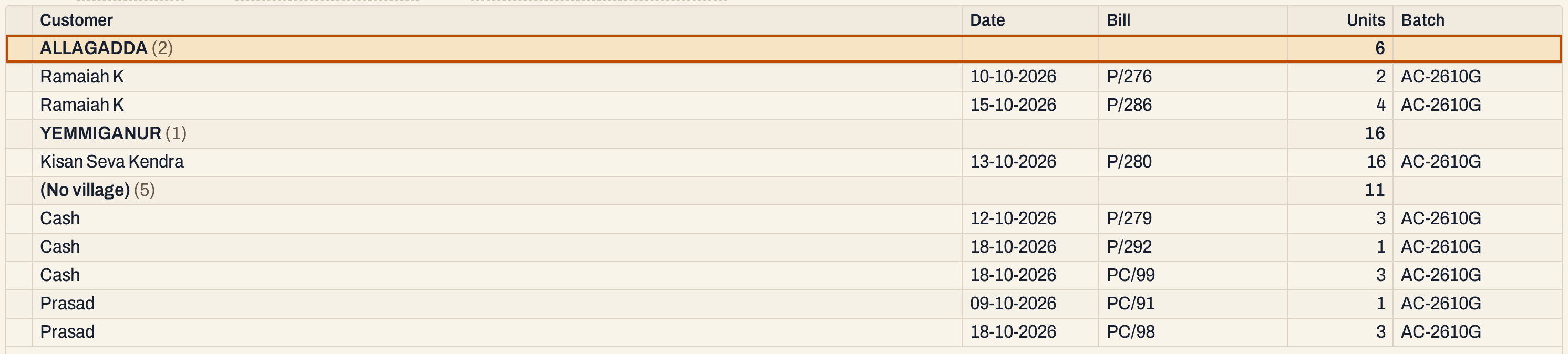 The sales of batch AC-2610G.
The period finds the batches. The period decides which batches are listed, not which sales. For a period of 01-10-2026 to 18-10-2026, the old batch AC-2602 is still listed, because it is an opening batch, and with all its sales: they were made in April and May.
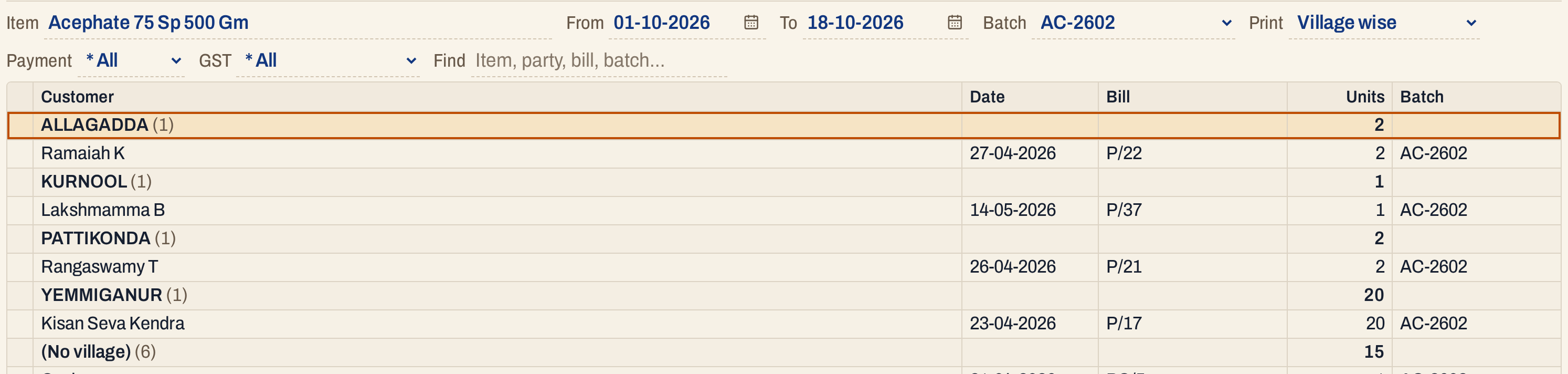 The period is October, but the sales of the batch found are from April and May.
Print, mark and export
- Enter on a line opens the bill.
- F2 marks a line or a whole heading with the lines under it. F8 marks all the lines. F10 then prints only the marked lines, with their headings and totals worked out again.
- F10 prints the report as it is on the screen: the company, the title BATCH NUMBER WISE SALES, the product, the period and the batch chosen, then the headings and lines, and the total.
- F12 saves it as an Excel workbook.
- Alt+Enter gives the whole window to the list.
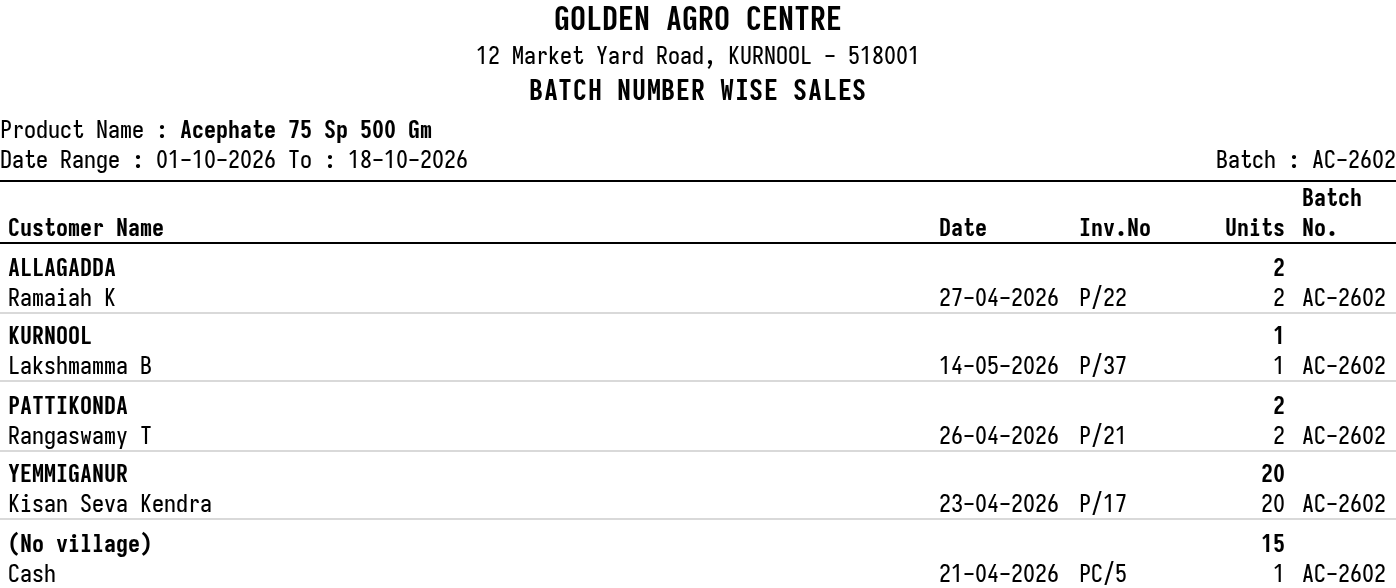 The top of the print for one batch.
Updated 4 November 2026.