Supplier bills from a photo
Photograph the bill and get every line back, matched to your items with its batch, rate and GST. Check it and save.
See how it works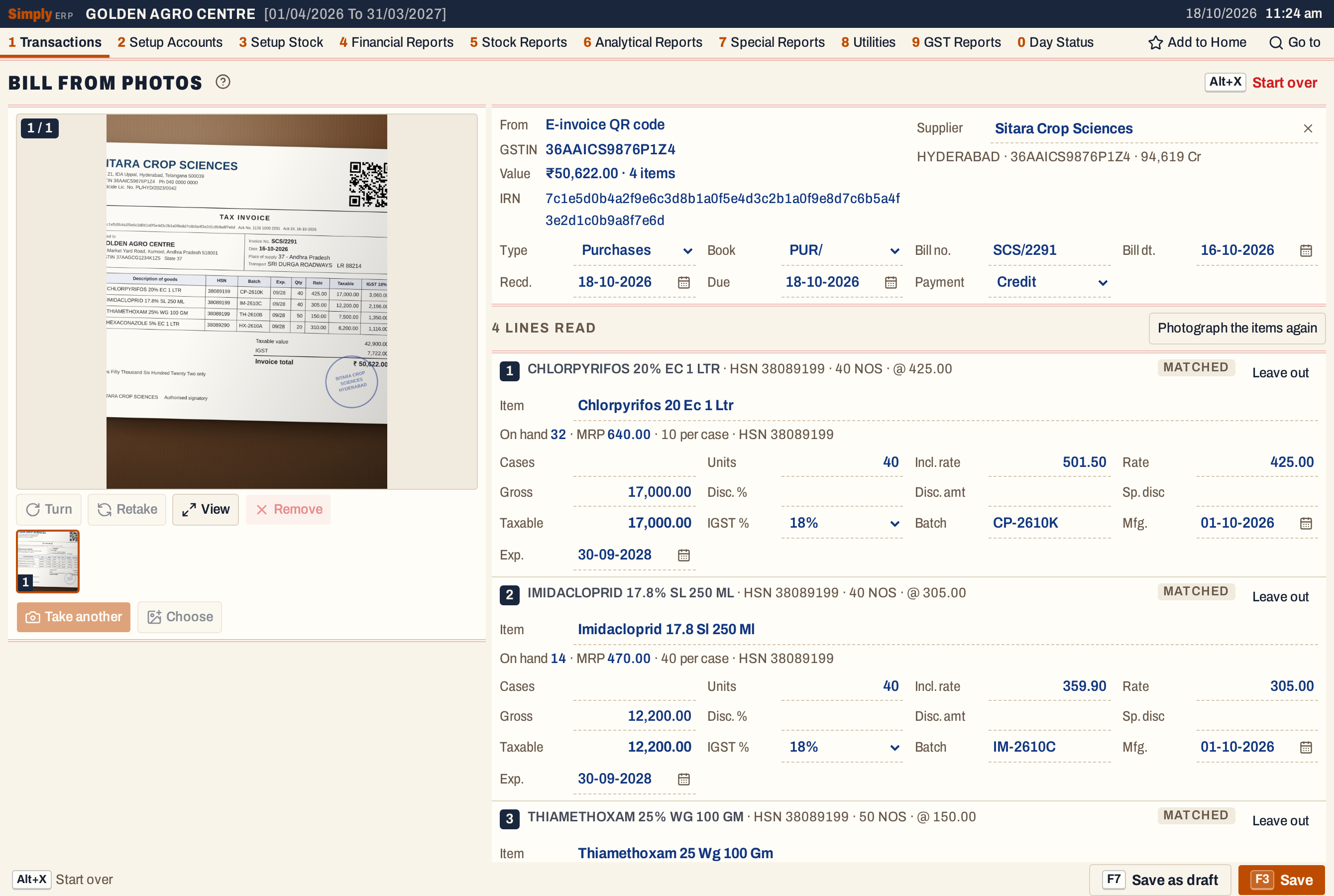
Sitara Crop Sciences, SCS/2291 4 lines read, ₹50,622.00
New AI that reads your supplier bills See how
Bill faster at the counter, keep every batch of stock in check, and have your accounts and GST returns ready before your CA asks. Your whole team works on the same books, backed up to the cloud as you go.
For shops, wholesalers and distributors across India.
New in SimplyERP
Supplier bills, GSTR-2B and bank statements can eat whole days every month. SimplyERP’s AI reads them and matches every line. You check, you approve, and nothing reaches your books or the GST portal until you do.
Photograph the bill and get every line back, matched to your items with its batch, rate and GST. Check it and save.
See how it works Find supplier invoices that are missing from your books, or don’t match, before you claim input tax credit.
| Supplier | Invoice | Status |
|---|---|---|
| Sitara Crop Sciences | SCS/2291 | Matched |
| Deccan Agrotech | DA/1187 | Amounts differ |
| Krishna Fertilisers | KF/0412 | Not in your books |
GSTR-1 and GSTR-3B are prepared from your bills. Check the figures and file without leaving SimplyERP.
See GSTR-1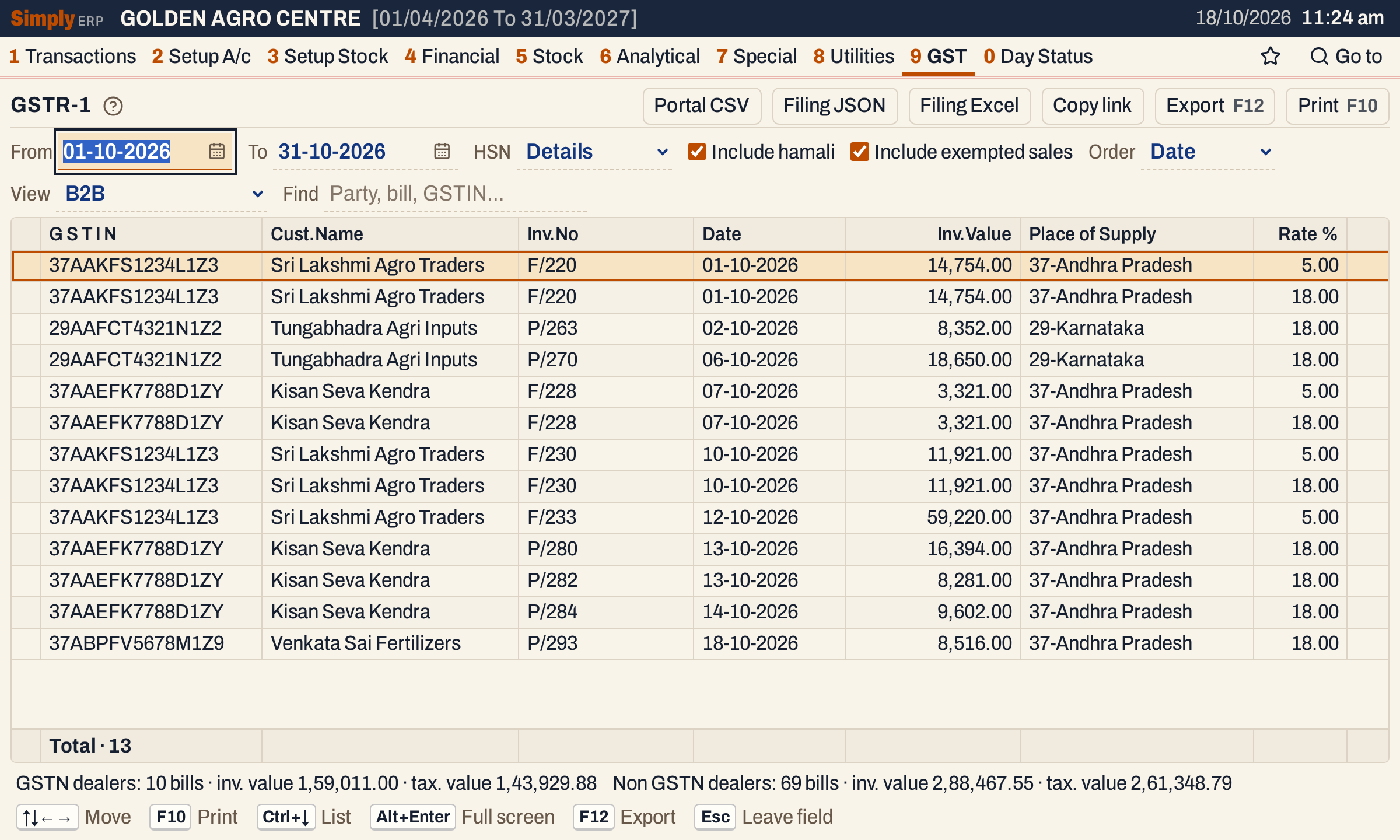
Upload your bank’s PDF. Every UPI, NEFT and cheque entry is matched to its party, ready for you to save.
| As the bank printed it | Matched to | Amount |
|---|---|---|
| UPI/RAMAIAH K/412873 | Ramaiah K | 500.00 |
| NEFT/SITARA CROP SCIENCES | Sitara Crop Sciences | 50,622.00 |
| CHQ 004512 NARASIMHULU P | Narasimhulu P | 2,340.00 |
Bill from every counter, check stock from the godown and see today’s sales from home, all at once. There’s no server or office network to set up: every computer and phone works through your shop’s main computer.
Add a computer for each counter. Every bill lands in the same books, with nothing to copy across.
Owners and admins manage the shop’s computers and phones. Staff can only get on with the work.
Set a PIN so only you can change or delete a saved bill, and see every change that was made. Set an admin PIN
Check the shop on your Android phone, and let your accountant see the books, read only.
SimplyERP backs your books up to the cloud within two minutes of every change, and keeps years of restore points. If a computer breaks or is stolen, sign in on another one and carry on.
Every change goes to the cloud within two minutes. Only what changed is sent, so it’s light on data.
Restore any day from the last 90 days, or any month from the last eight years.
Make another computer your main one, and it picks up from your latest backup.
Bills save on your shop’s computer and go to the cloud as soon as you’re back online.
All backed up11:24 am
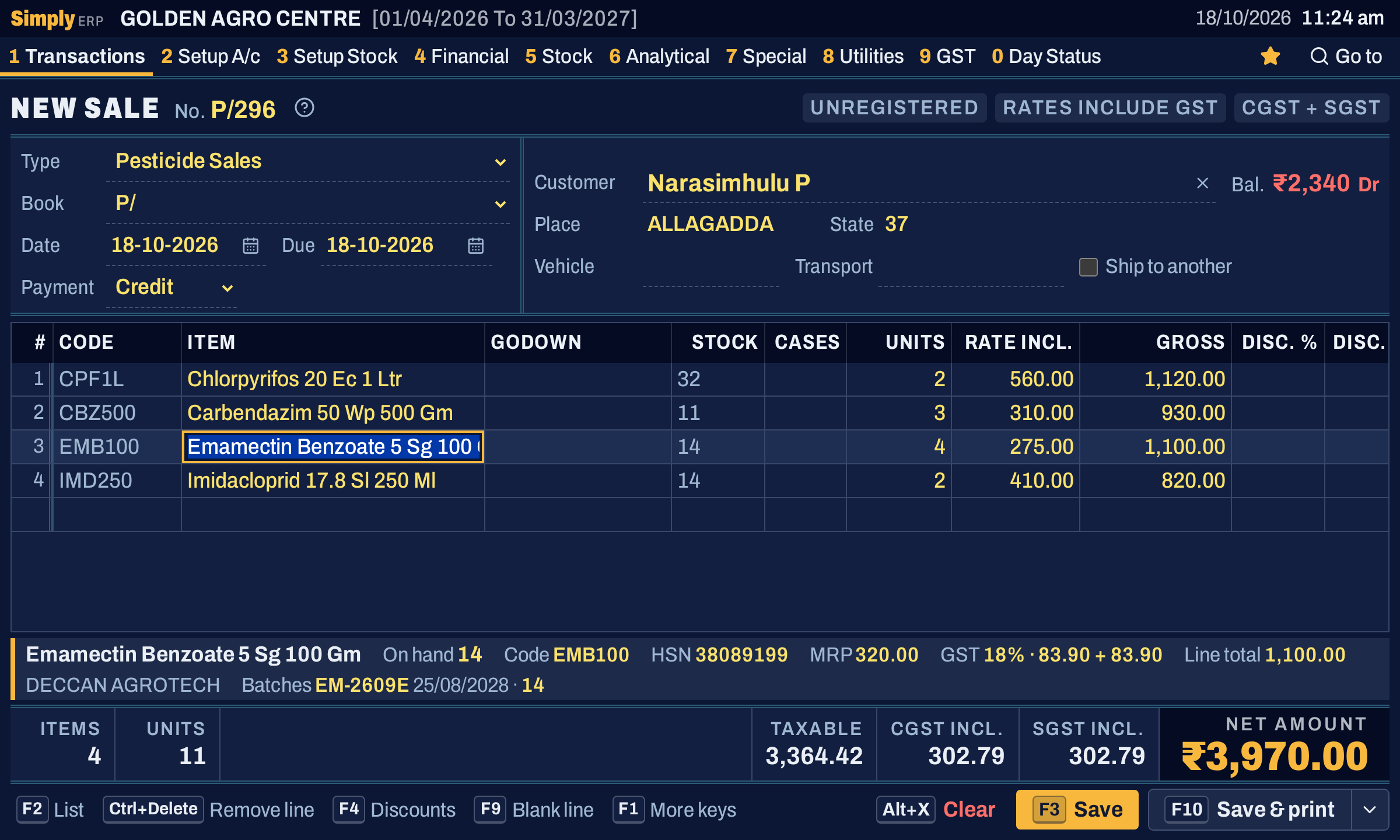
In the season rush, nobody wants to wait. SimplyERP is made for billing all day from the keyboard. It works out the GST on every line and prints the bill the moment you save.
Pick the customer and items from the keyboard. The batch nearest expiry is chosen for you. Make a sale bill
CGST and SGST, or IGST for another state, on every line of every bill.
Full or half page, on A4 or A5, from the printer you already have. Print a bill
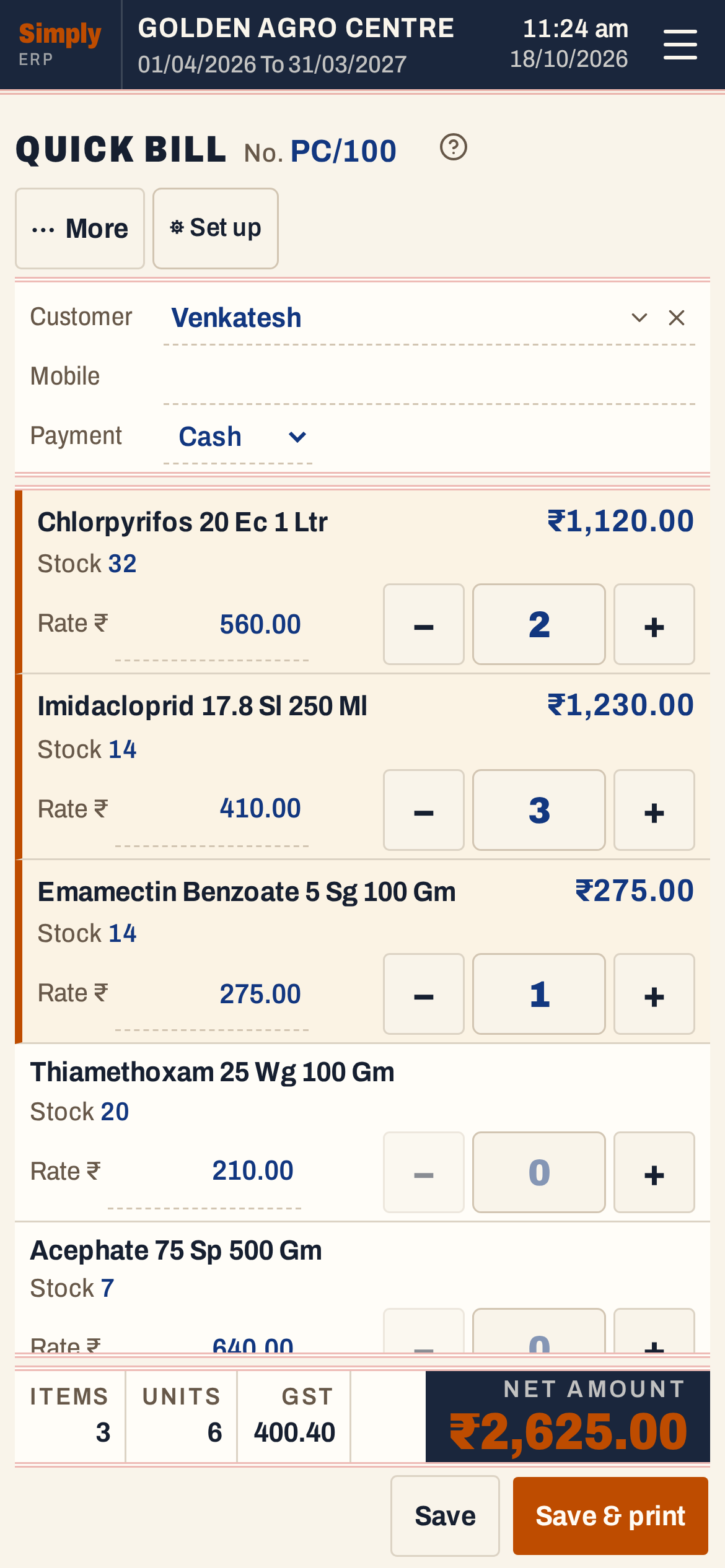
When the counter is crowded, tap your fast sellers on Quick Bill and print. Quick Bill
Your GSTR-1 and GSTR-3B are ready from the bills you make every day. Check the figures, file from SimplyERP and get back to business.

Every expired pack is money down the drain. SimplyERP tracks each batch and its expiry, sells the oldest first and warns you while there’s still time to act.
Every bill picks the batch nearest expiry, so old stock goes out before new.
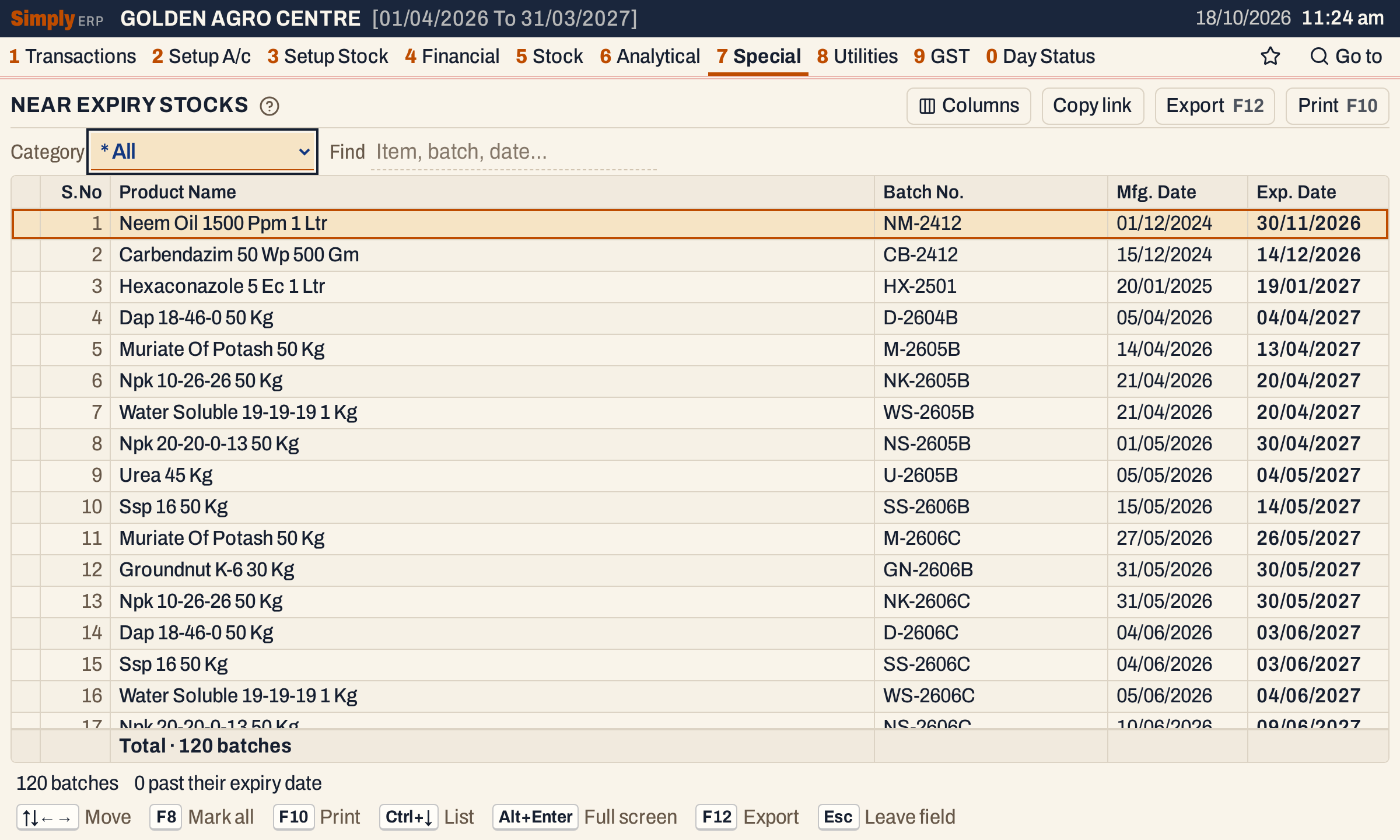
See what’s about to expire while you can still sell it or send it back. Near Expiry Stocks
Know what each godown holds, and move stock between them. Godowns
Out of an item? See alternatives with the same active ingredients, the ones in stock first. Technical names
Credit keeps customers coming back. Make sure the money does too. See your cash, bank and dues every morning, and follow up on payments with the figures in hand.
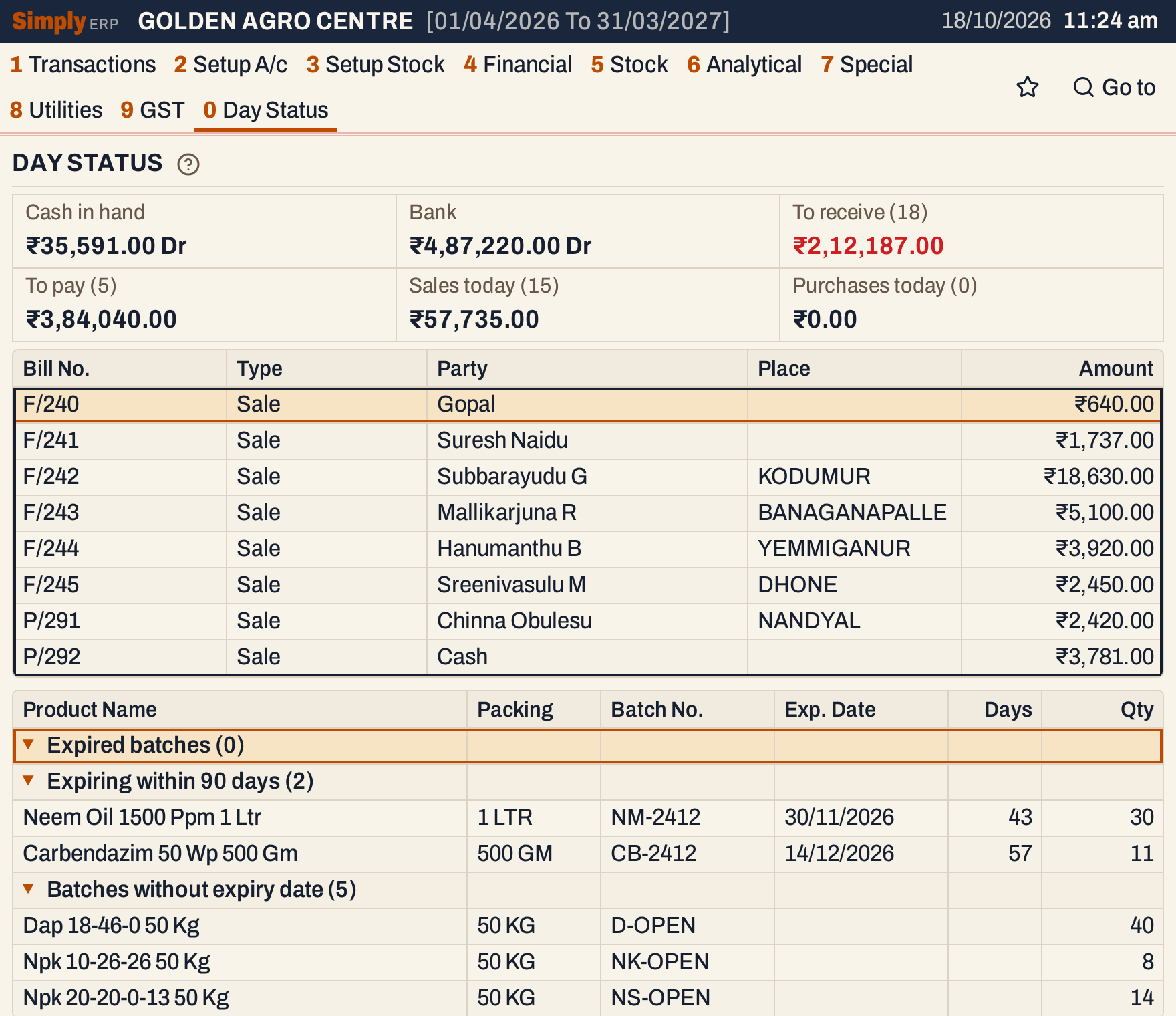
Cash, bank, dues and today’s sales on one screen. Day Status
Outstanding by customer, area or sales rep, with interest on late payments. Outstanding with Interest
Ledgers, trial balance, profit and loss and balance sheet, up to date with every bill. Balance Sheet
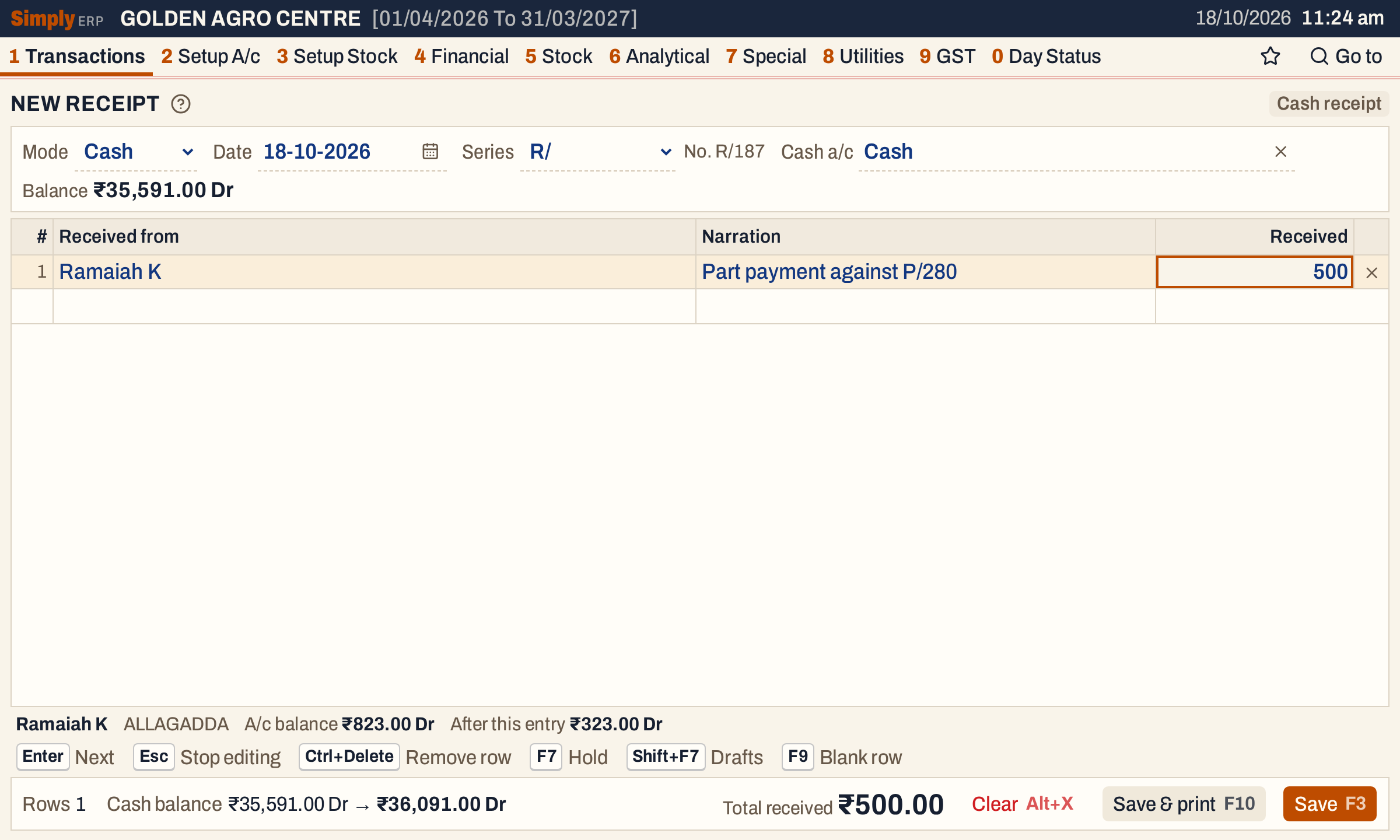
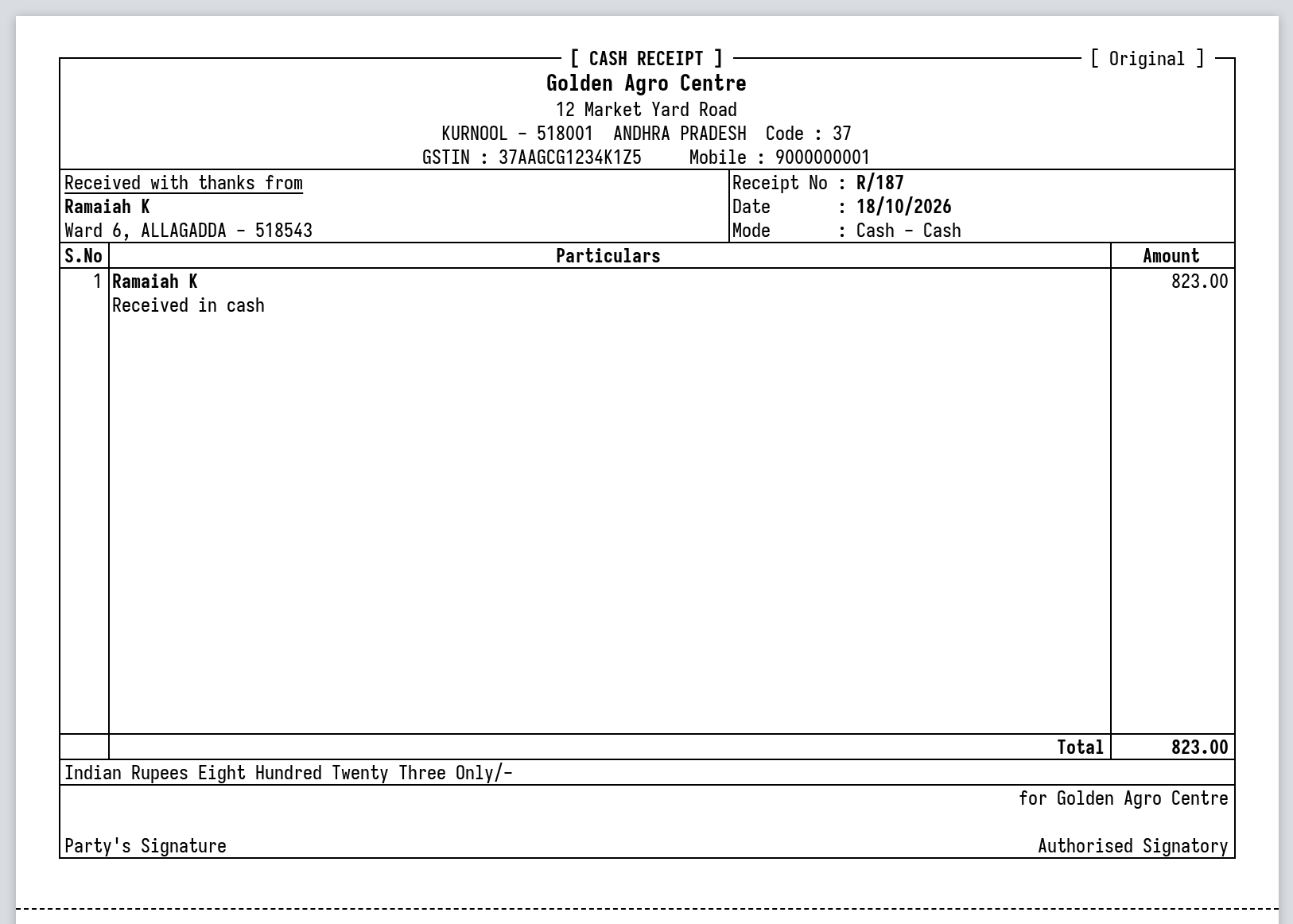
Print them, save a PDF or open them in Excel. All reports
Pesticides, fertilizers and seeds, with batches, expiry, technical names and the registers your licence needs.
Licence registersCredit by area and sales rep, several bill books, e-invoices and e-way bills.
E-invoice and e-way billFast billing at the counter, Quick Bill on a phone, and held bills when there’s a queue.
Quick BillClean ledgers, final accounts and GST returns, with read-only access to your clients’ books.
Trial BalanceBoth. You make GST bills at the counter, and your stock, ledgers and GST returns stay up to date from them. No second program, no copying figures across.
No. SimplyERP runs on your shop’s computer and makes and prints bills without the internet. You need a connection only for backups, your phone, GST filing, e-invoices, e-way bills and AI reads.
Yes. It prepares GSTR-1 and GSTR-3B from your bills, returns and notes, and files them on the GST portal once you have checked the figures. Every month it also matches your GSTR-2B to your purchase bills, so you can sort out differences before you claim input tax credit.
Scan the bill’s e-invoice QR code for the supplier, number, date and value, then photograph the item table. The AI reads every line and matches it to your items, using what you have bought from that supplier before. You check the lines, correct anything you need to, and save.
Yes. Install SimplyERP on each computer or phone and sign in. Your shop’s main computer keeps the books, and every other device works on them through it over the internet, so every counter can bill at once. Owners and admins can remove a device at any time.
Your books are backed up to the cloud within two minutes of every change. Sign in on another computer, make it your main computer, and it carries on from your latest backup. Restore points go back day by day for 90 days, and month by month for eight years.
Yes. Sign in on another computer or the Android app and your books open through the shop’s computer while it is on. Your CA can also check them in SimplyERP Online, read only.
Install SimplyERP on your shop’s Windows computer, set up your business and start billing. Add the Android app to take your shop with you.
What you needDownload SimplyERP for Windows. Updates install themselves.
DownloadEnter your details and choose what you sell. Bill books and GST accounts are created for you.
Set up new booksAdd customers and items right from the bill as you go.
Make a sale bill