Daily Sales
On this page
The Daily Sales report lists your sale bills day by day for one product category: each bill with its number, the account it was posted to and its amount, and the total for each day. Use it to see which days sold most of a category, or to check a day’s bills against the day’s cash, UPI or card takings.
Open the report
Press Alt+6 for Analytical Reports, then G. The report always shows one category and has no * All choice. It opens on the first category in the list, PESTICIDES in the showcase books, with Bills set to Wholesale, so choose the category and the bills you want. The period starts on the first day of the financial year and ends on today.
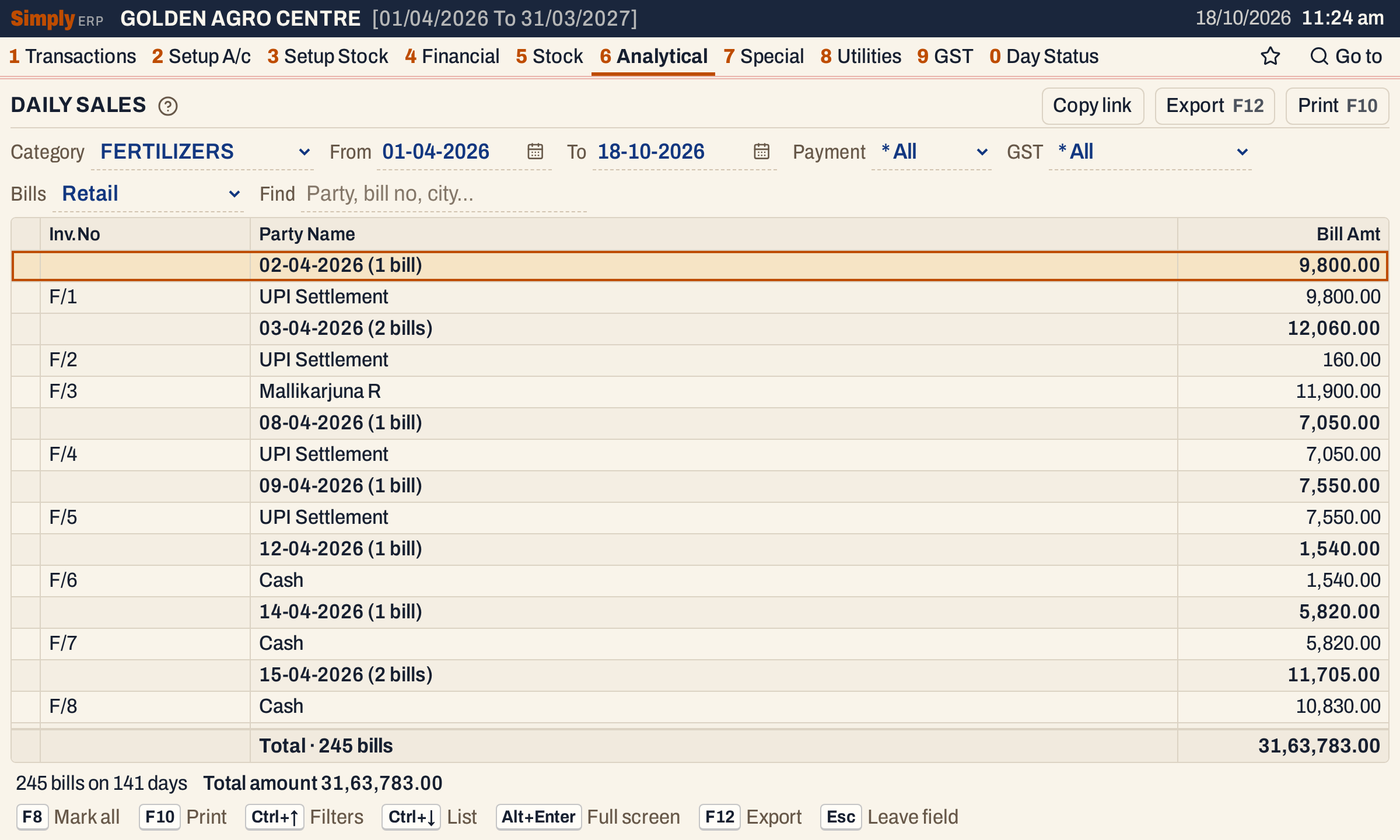 Each day is a heading with its number of bills and their total. Under it are the bills of that day, with the account each bill was posted to.
What it lists
- Sale bills dated in the period, one line for each bill.
- Only bills with at least one line of the chosen category. A bill that sold fertilizers and seeds is listed under FERTILIZERS and under SEEDS.
- Only bills of the sale type chosen under Bills, Wholesale or Retail.
Purchases, sales returns, GST credit and debit notes and bills of other categories are not in this report.
Columns
| Column | What it shows |
|---|---|
| Inv.No | The bill’s number. |
| Party Name | The account the bill was debited to: the customer on a credit bill, the Cash account on a cash bill, the settlement account, such as UPI Settlement, on a card or wallet bill. A bill with no account shows the name typed on it, and Cash / Counter Customer when it has none. On a day’s heading, this column holds the date and the number of bills in brackets. |
| Bill Amt | The bill’s total as saved. On a day’s heading, the day’s total. |
The totals line gives the number of bills and their total. The status line gives the number of bills, the number of days they fall on, and the total amount. The report has no Columns button: these three columns always show.
Choices
| Choice | What it does |
|---|---|
| Category | The item category to report. There is no * All. The list holds the item categories of your books: PESTICIDES, FERTILIZERS and SEEDS in the showcase books. The default is the first. |
| From, To | The period. The defaults are the first day of the financial year and today. Both dates must fall in the financial year. |
| Payment | * All (the default), Cash or Credit: the bill’s payment mode. Bills paid by card or wallet, such as the UPI Settlement bills above, appear only under * All. |
| GST | * All (the default), Registered or Unregistered: whether the bill was to a customer with a GSTIN. |
| Bills | Wholesale (the default) or Retail: the sale type of the bill, which a bill takes from the W/R of its bill book, set in Bill Books & Series. A bill whose book has no W/R is in neither. When no bill fits, the list says No bills match these choices, or No bills in this period when the period has none at all. |
| Find | Shows only the bills where every word you type is found in the party, bill number, series, city, date or payment mode. A word of three or more letters also matches when its letters appear in that order, close together. |
Click a column title to sort the bills by it within each day.
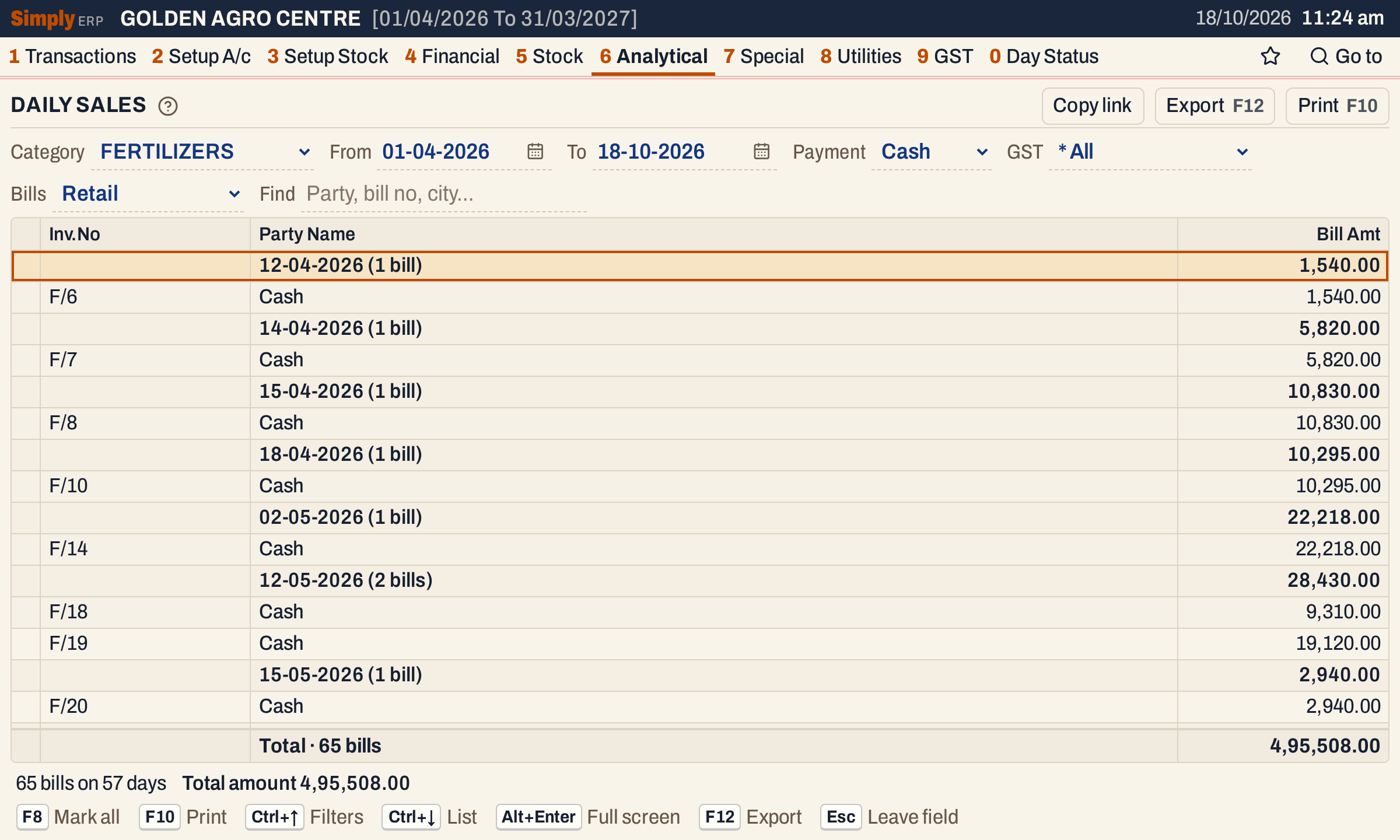 Payment narrows the list to the cash or credit bills. The day totals and the totals line are of the bills still shown.
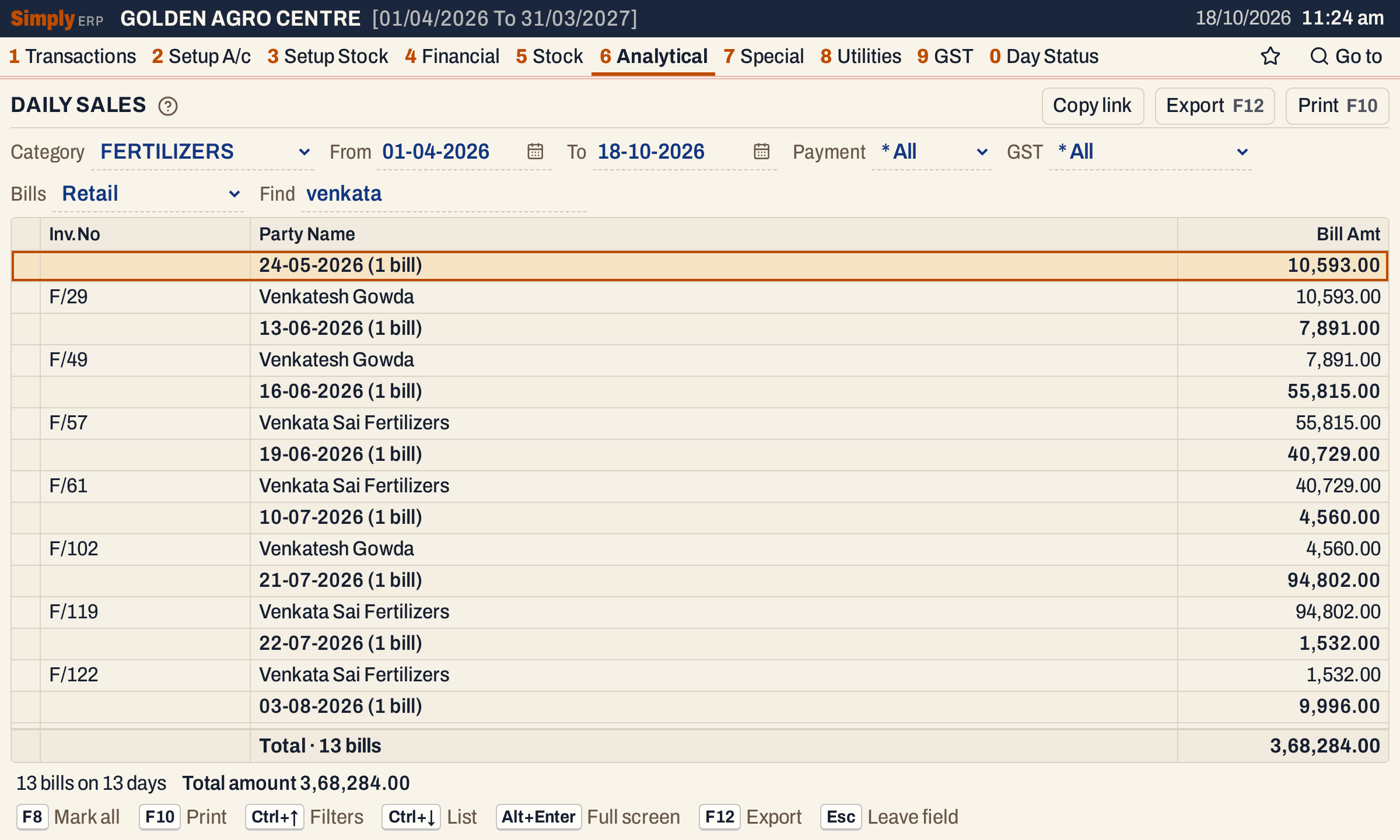 Find narrows the bills by party, bill number or city. Here 13 bills of two accounts match.
How the figures are worked out
- A bill is listed on its own date, and its Bill Amt is the bill’s total as saved, including GST and any charges. It is not the value of the category’s items alone, so a bill of fertilizers and seeds counts with its whole total under each of the two categories.
- The day’s total is the sum of the Bill Amt of the bills under it. The totals line and the status line add up the bills shown.
- Bills are listed in date order, then by series and bill number.
Open, mark, print and export
- Enter opens the bill.
- F2 marks a bill and F8 marks them all. F10 then prints only the marked bills.
- F10 prints the report under the heading DAILY SALES, with the period, the category and your choices, each day’s date and bills, and a Total Day Sales line for each day. The amount column is headed Bill Value.
- F12 saves it as an Excel workbook.
- Alt+Enter gives the whole window to the list.
Updated 4 November 2026.