Receipts/Payments List
On this page
The Receipts/Payments List shows how much cash each party gave you, or you gave each party, in a period. It is one line for each customer, farmer or supplier account, with the total of the period. Use it to see who paid you in cash, whom you paid in cash, or which accounts paid or received more than an amount.
Open the report
Press Alt+4 for Financial Reports, then N. The report opens on Receipts for the financial year from its first day to today (or to its last day, if today is later).
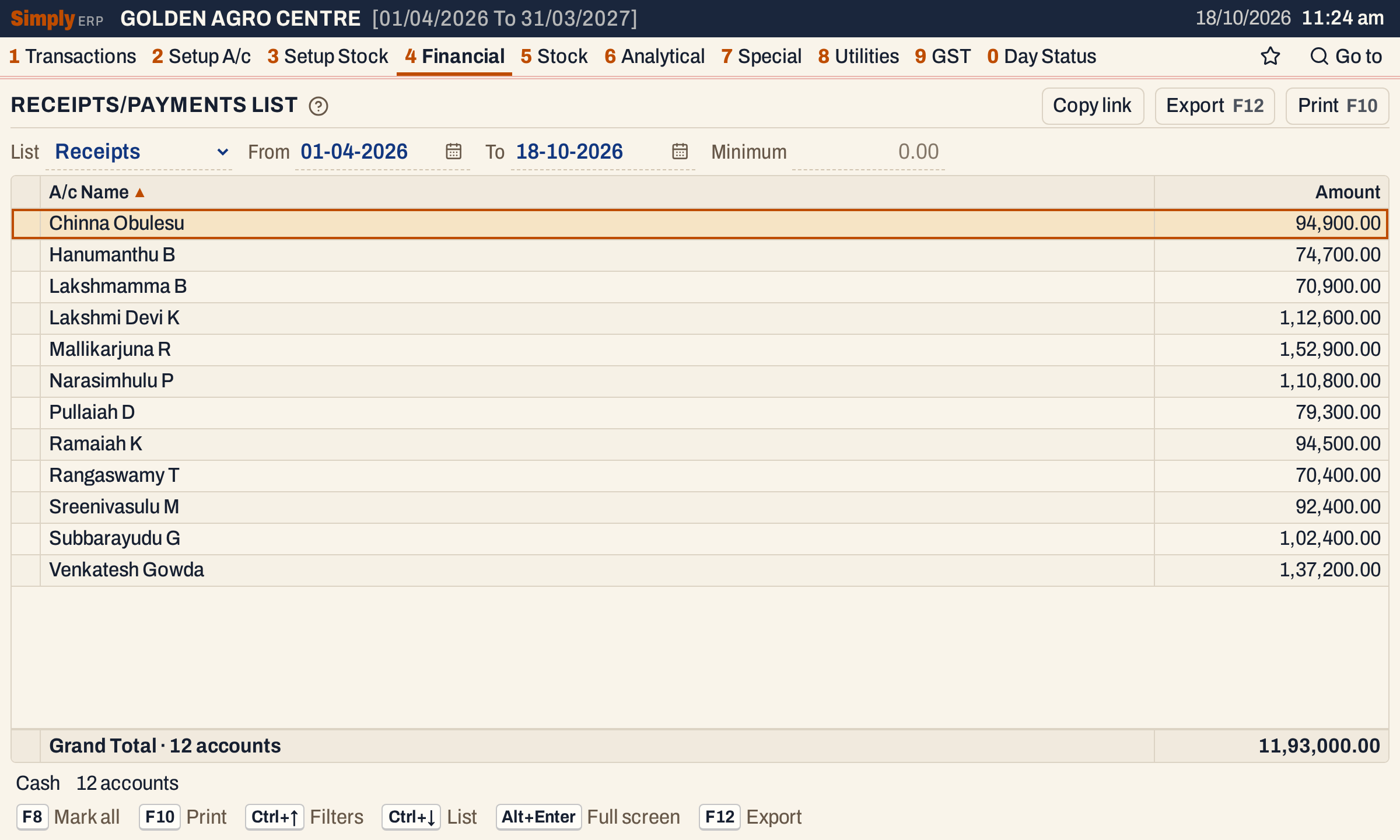 Twelve accounts paid cash in this year, 11,93,000.00 in all. The status line names the cash account the list is drawn from.
What it lists
The list reads the receipt and payment vouchers that have a posting to the cash account, and adds up, for each party, what the vouchers posted to the party’s account:
- Receipts: the amounts credited to the party. That is the cash the party paid you, entered in Receipts;
- Payments: the amounts debited to the party. That is the cash you paid the party, entered in Payments.
Only accounts of the types Customer, Customer - Supplier, Farmer and Supplier are listed. What the list leaves out:
- Cash bills. The cash a customer pays at the counter on a cash bill is on the bill, not on a receipt, so it is not here. See the Cash Book for all the cash.
- Payments to expense accounts (rent, salaries, electricity) and cash deposited in the bank, because they are not party accounts.
- Bank receipts and payments, cheque or transfer vouchers that do not touch the cash account.
- Journal entries, even when one has a cash row. They belong to the Journal.
Only the postings from the From date to the To date, both days included, are added up. The list is drawn from one cash account: the first cash account in name order. The status line shows its name.
On these books no cash has been paid to a party account, so the Payments list opens empty.
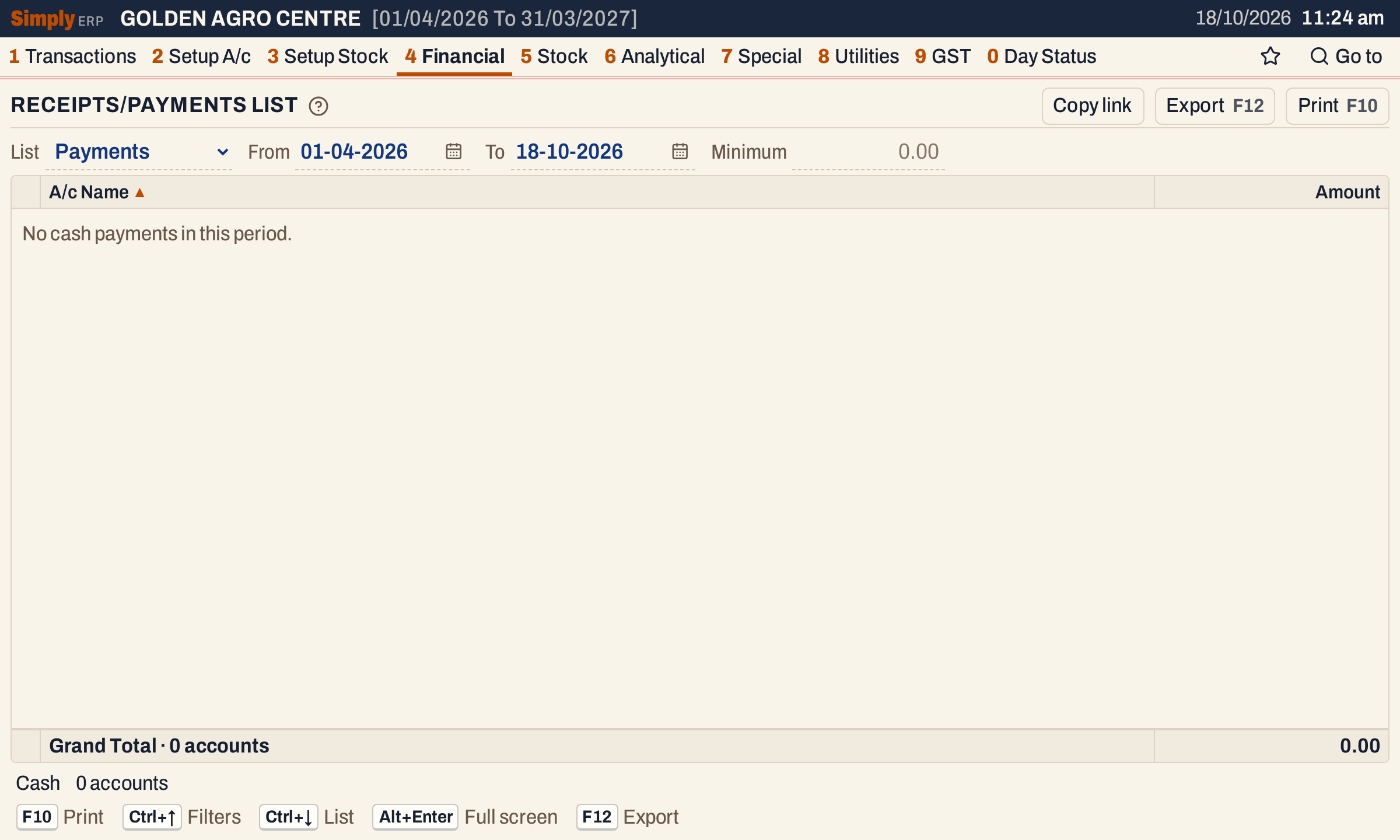 The Payments list for the same period. This shop paid cash only for electricity and rent, which are expense accounts, so no party account has a line.
After a cash payment of ₹25,000 to a supplier, entered in Payments on 18-10-2026, the supplier appears.
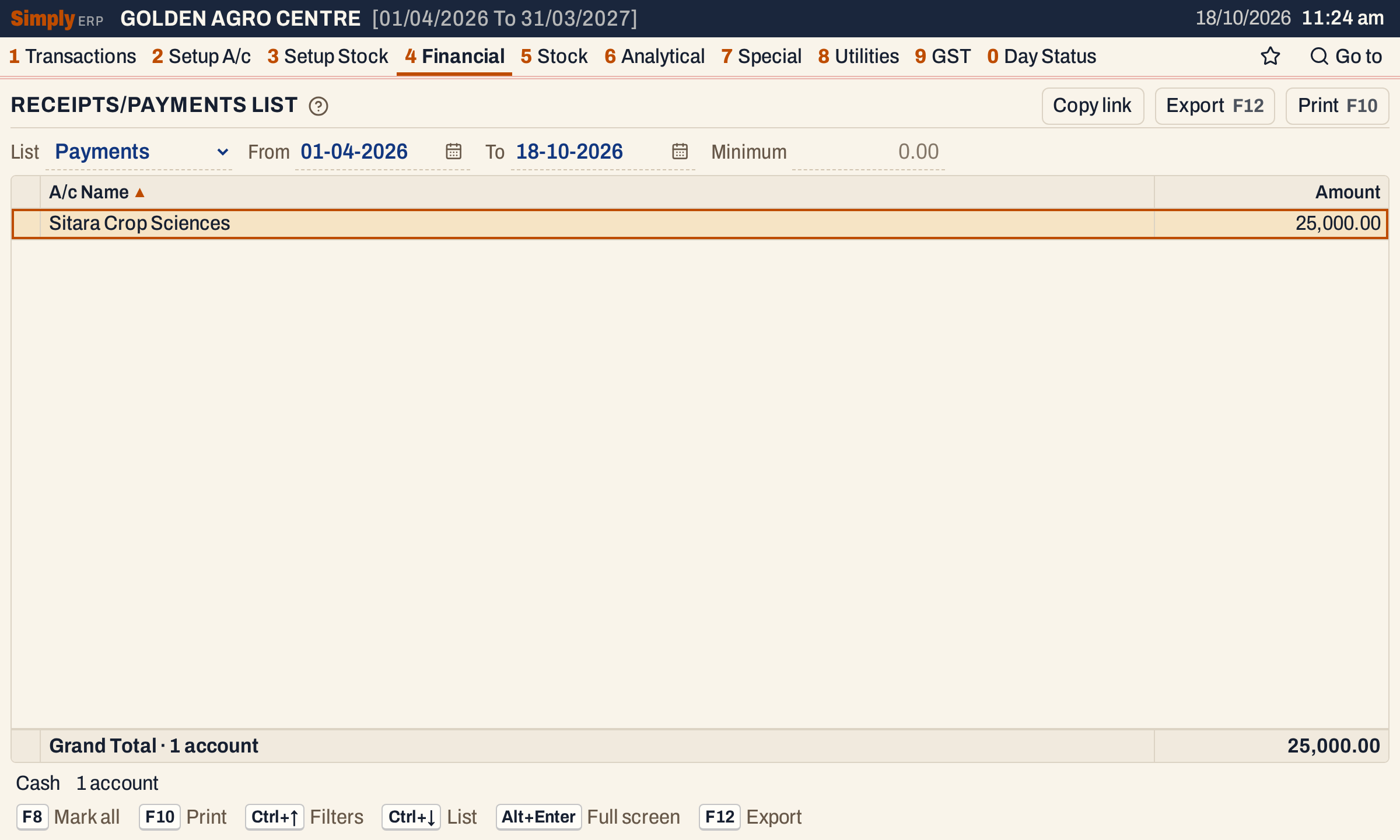 One line for each account paid, with the total of the vouchers.
Columns
| Column | What it shows |
|---|---|
| A/c Name | The party’s account name. |
| Amount | The total posted to the account by the vouchers of the period: received (Receipts) or paid (Payments). |
A narrow column at the left shows a tick for each marked account; click in it to mark or unmark. The totals line gives the Grand Total of the amounts shown and the number of accounts. The status line gives the cash account, the number of accounts, how many were left out by the minimum, and how many are marked.
Choices
| Choice | What it does |
|---|---|
| List | Receipts (cash received from the accounts) or Payments (cash paid to them). Default: Receipts. |
| From, To | The period. Both dates must fall in the financial year. If you set From later than To, To moves to that day; if you set To earlier than From, From moves to that day. Default: the first day of the year to today. |
| Minimum | Leaves out the accounts whose total for the period is less than this amount. Type the amount in digits, without commas (100000), with up to two decimals, and press Enter or leave the field. Empty (or 0) lists every account. |
 The choices above the list.
The minimum is applied to each account’s total for the period, not to each voucher. An account that paid ₹60,000 and ₹50,000 in two vouchers has a total of ₹1,10,000 and is listed for a minimum of ₹1,00,000. The status line tells you how many accounts the minimum left out.
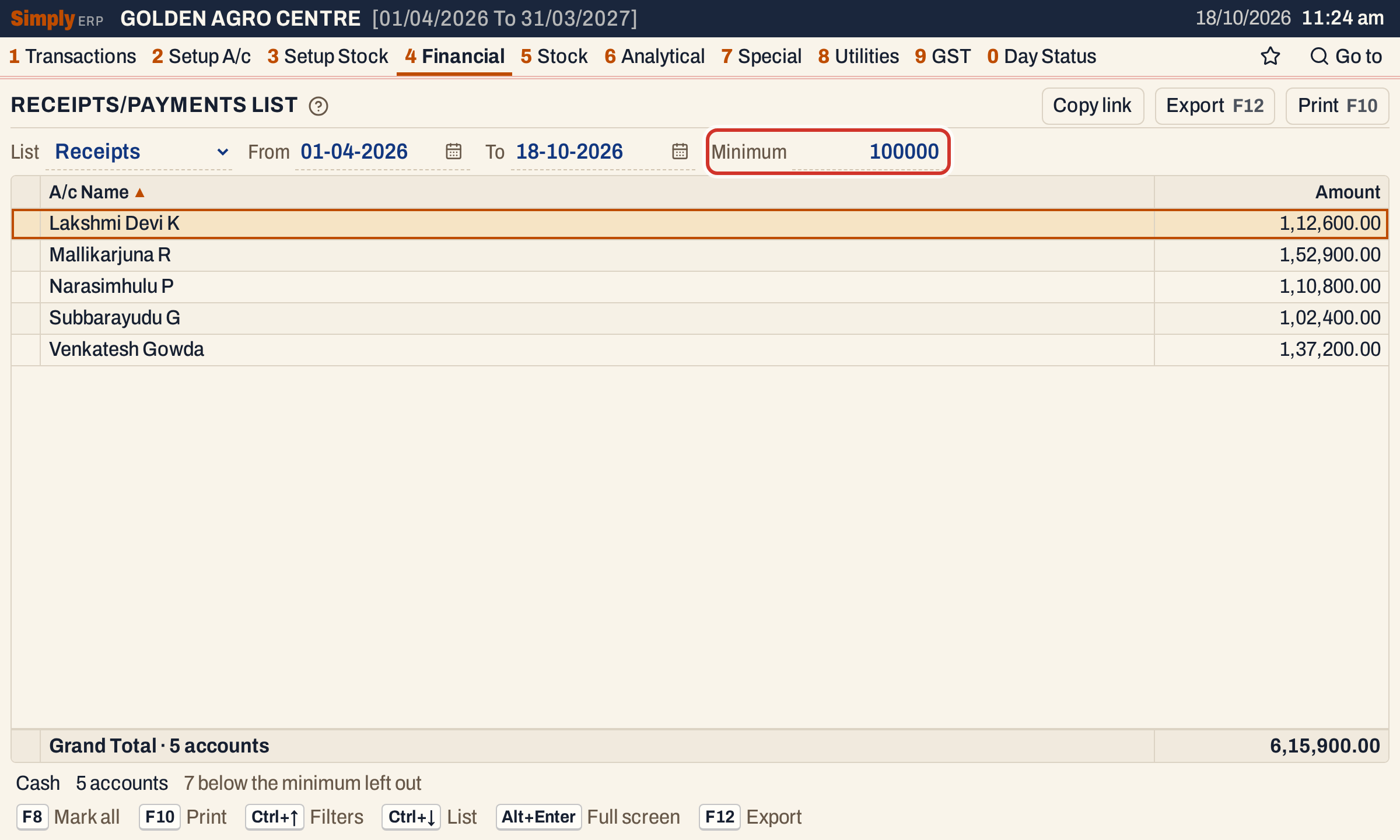 A minimum of 1,00,000 leaves five accounts of the twelve. The status line says 7 are below the minimum.
Every choice is kept in the page address, so Copy link gives a link that opens the same list.
Order
The list is in name order (A to Z). Click the A/c Name or Amount title to order by it: Amount starts with the largest, A/c Name with A. Click again to reverse. Hold Shift and click a second title to order by it within the first.
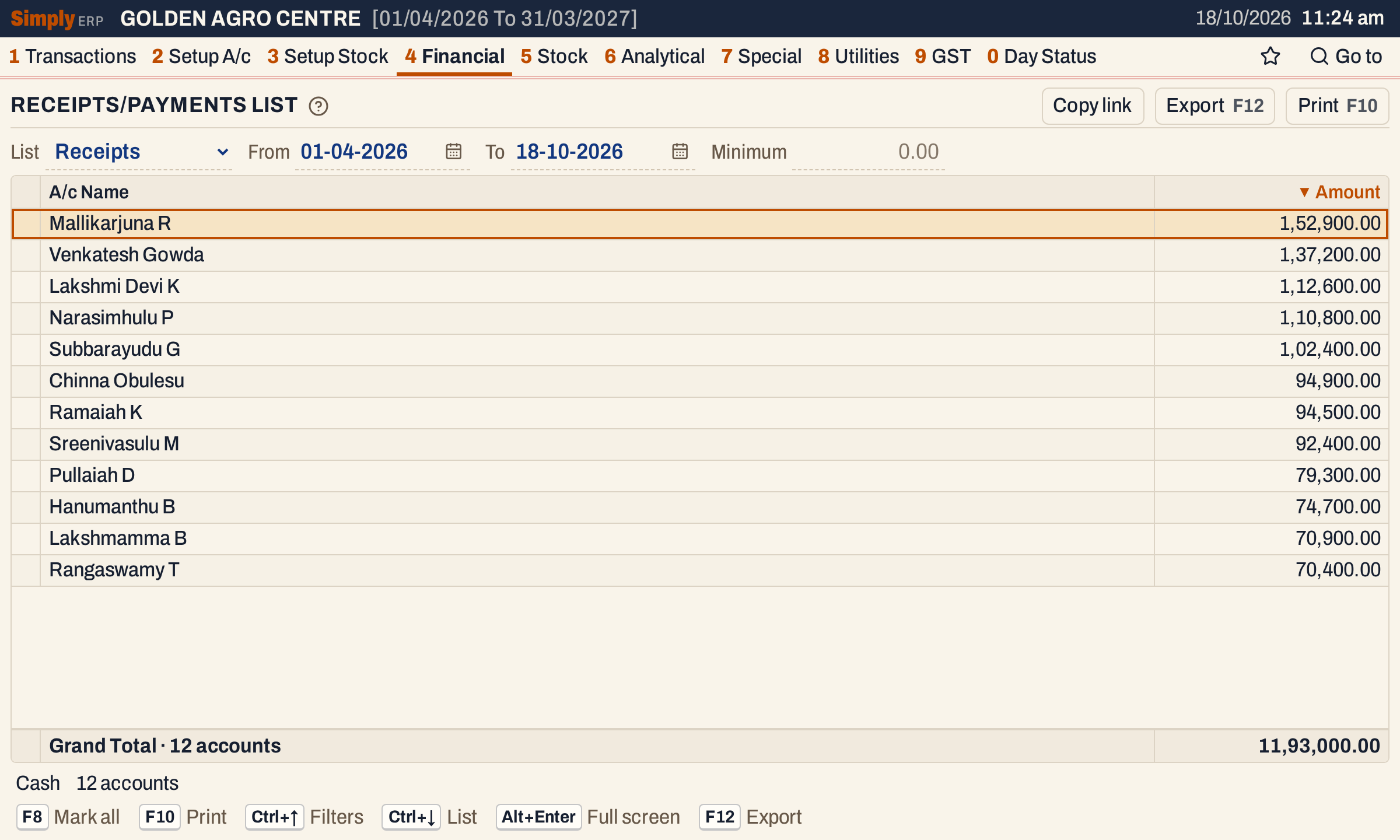 Ordered by Amount, the accounts that gave the most come first.
How the figures are worked out
- SimplyERP finds the receipt and payment vouchers (cash receipts and payments, and bank vouchers that have a line on the cash account) that posted to the cash account in the period.
- From those vouchers it takes the postings to the other accounts dated in the period: for Receipts the credits, for Payments the debits. Postings to cash itself, to accounts that are not customers, farmers or suppliers, and postings of zero are not counted.
- Amount = the total of an account’s postings, rounded to paise. The vouchers of one account are one line.
- An account whose Amount is less than the Minimum is left out.
- Grand Total = the Amount of the accounts shown. With a minimum, it adds up only the accounts that are listed.
For the receipts in the picture: twelve accounts add up to 94,900.00 + 74,700.00 + 70,900.00 + 1,12,600.00 + 1,52,900.00 + 1,10,800.00 + 79,300.00 + 94,500.00 + 70,400.00 + 92,400.00 + 1,02,400.00 + 1,37,200.00 = 11,93,000.00. With a minimum of 1,00,000 only five are left, 1,12,600.00 + 1,52,900.00 + 1,10,800.00 + 1,02,400.00 + 1,37,200.00 = 6,15,900.00.
Open, mark, print and export
- Enter on an account opens its ledger for the same period. Back returns to the same line.
- F2 marks the account under the cursor and moves down one line. F8 marks every account shown, or clears all the marks when they are all marked. The status line counts the marked accounts.
- F10 prints the list as RECEIPTS STATEMENT or PAYMENTS STATEMENT: the period, the cash account, then Account Name and Amount, and the Grand Total. When some accounts are marked, only those are printed; when you use a minimum or a different order, the heading says so.
- F12 saves it as an Excel workbook, with the amounts as numbers.
- Alt+Enter gives the whole window to the list.
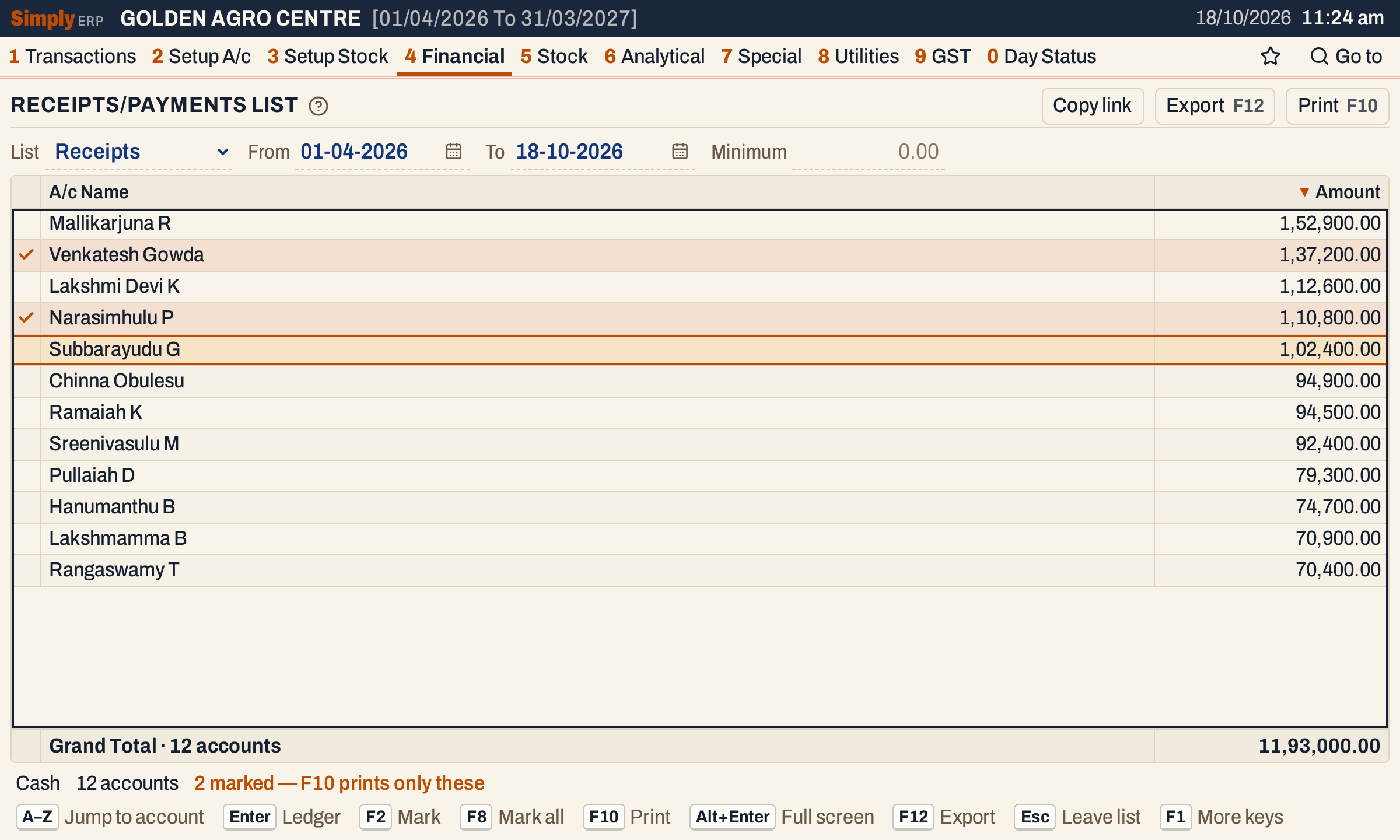 Two accounts marked with F2. F10 would print only these.
Updated 4 November 2026.