Delete a saved bill
On this page
Delete a bill when it was made by mistake and should not be in your books at all: a bill for the wrong customer, or a test bill. SimplyERP takes its postings off the ledger and puts its units back into stock, and keeps a copy of the bill in Changed Bills. If the goods really came back from a customer, make a sales return instead; a return keeps the sale in your books and records the goods coming back.
If only a figure or a customer was wrong, edit the bill instead of deleting it.
Find and open the bill
Press Alt+1 for the Transactions menu and Y for All Bills (Find a Bill). The screen starts in its Find box: type the bill number, the party, the place, a phone number or a GSTIN, press ↓ and then Enter to open the highlighted bill.
 Find S/72 and press Enter to open the bill.
Before you delete anything, look at what the bill did. Here the customer owes ₹13,707.00 and the item on the bill is Maize Hybrid Nmh 589 4 Kg, 1 unit. If you open a new sale (Alt+1, F, N), choose the Seed Sales type and type the item’s name in the Item column, the list shows 60 in stock.
 Subbarayudu G owes ₹13,707.00 before the delete.
 The stock before the delete: 60.
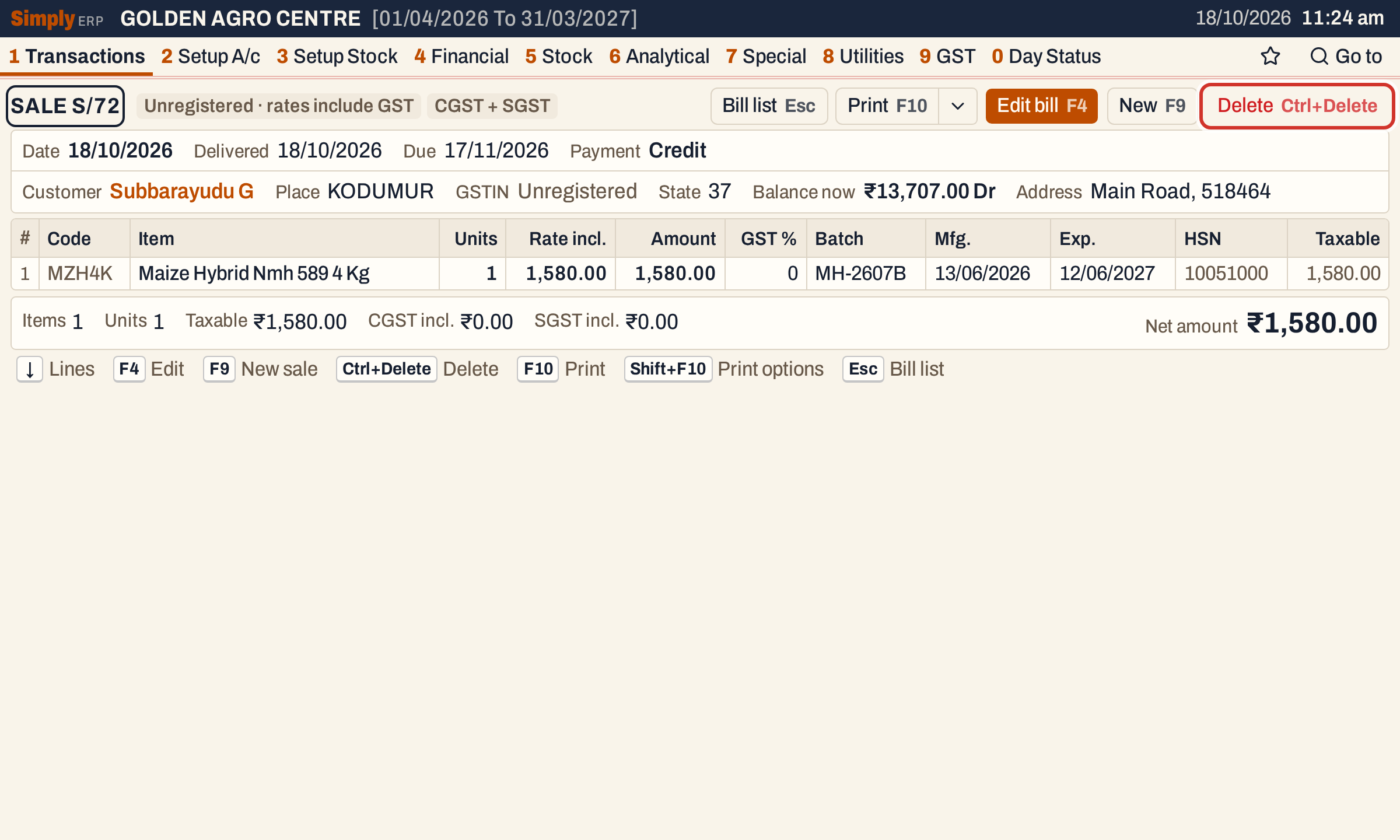 The saved bill: ₹1,580.00. The Delete button carries its key, Ctrl+Delete.
Press Ctrl+Delete
Ctrl+Delete (⌘+⌫ on a Mac) asks first. The question names the bill, and the cursor starts on Cancel, so a key pressed by mistake does not delete anything. Press Esc to leave without deleting.
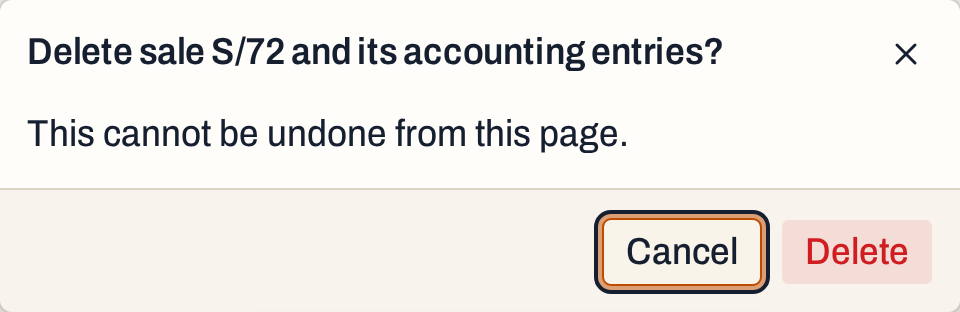 Nothing is deleted until you confirm.
To go on, press Tab to move to Delete and press Enter.
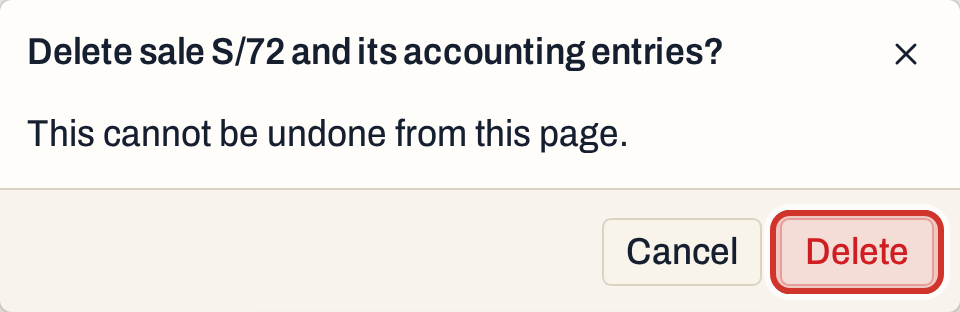 Tab moves from Cancel to Delete.
A notice names the bill, and the screen goes back to the list of bills.
 The bill is gone from All Bills.
Deleting cannot be undone from the bill list. If you deleted the wrong bill, find it in Changed Bills (below) and make it again.
What deleting does to your books
Deleting is one step: either all of it happens, or nothing does.
- The bill is first copied to Changed Bills, marked Deleted.
- The units on each line go back into the stock of the item and of the batch the bill took them from.
- The bill’s postings are removed from the ledger: the customer (or the cash account), the sales account, the GST accounts and the accounts of any charges.
- The bill and its lines are removed.
For this bill, the customer’s balance falls by the net amount, from ₹13,707.00 to ₹12,127.00 Dr, and the item’s stock goes from 60 to 61.
 The unit is back in stock: 61.
The bill number is not used again. Deleting does not move the book’s next number back, so the next sale is still S/73 and S/72 stays unused. A number deleted from the middle of a book shows as a missing number in Invoice Series Status.
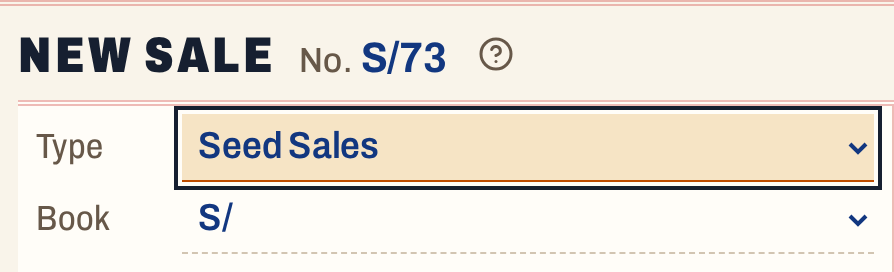 The next seed sale takes S/73.
Once the bill is deleted it leaves the ledger, the stock ledger, the registers and the GST returns.
What stops a delete
SimplyERP refuses to delete a bill, and says why, in these cases:
- A return names it as the original bill. Delete those returns, or change their original bill, first.
- It has an active e-invoice or e-way bill. Cancel it first, within 24 hours of making it, or issue a credit note. See E-invoice and e-way bill.
- An admin PIN is set. Once you confirm the delete, SimplyERP asks for the PIN. See Admin lock.
Find a deleted bill
Press Alt+8 for Utilities and S for Changed Bills (Audit). The screen starts in its Changed from date, and the period it covers (Changed from to To) is the date of the change. Click the Find box and type the bill number. A deleted bill is listed in red with Deleted in the Change column.
 The deleted bill is kept here.
Enter opens the bill as it was, marked Earlier version. The Balance now it shows is the customer’s balance today, ₹12,127.00 Dr, after the delete.
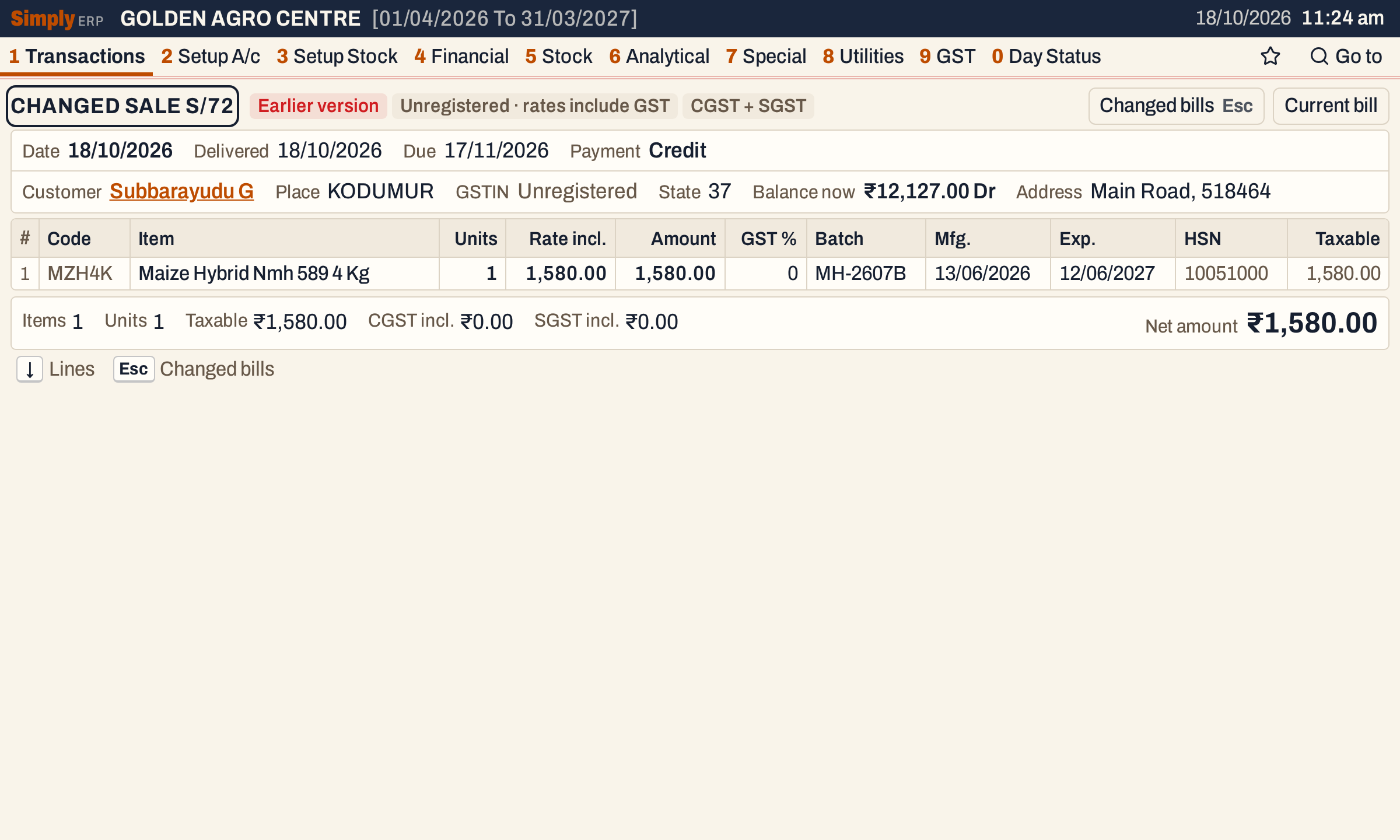 Changed Bills keeps every figure of the bill. See Changed Bills.
Keys
| Key | What it does |
|---|---|
| Ctrl+Delete | On a saved bill: ask to delete it |
| Tab, Enter | In the question: move to Delete, then confirm |
| Esc | Leave the question without deleting; on a saved bill, back to the list |
| F4 | Edit the bill instead |
Common questions
Can I get a deleted bill back? Not as it was. Its figures stay in Changed Bills, so you can make the bill again from them, but it gets a new number.
Does deleting a cash bill change the cash account? Yes. A cash bill’s debit is to its bill book’s cash account, and deleting the bill removes that posting.
Updated 4 November 2026.