Record damages and breakage
On this page
Bottles break, bags split and liquids leak. Damages / Breaks takes those units out of an item’s stock, and out of one batch if you name it, so the stock in SimplyERP matches what is on the shelf. It is a stock entry only: nothing is posted to the accounts.
Open the register
Press Alt+1 for the Transactions menu, then V for Damages / Breaks.
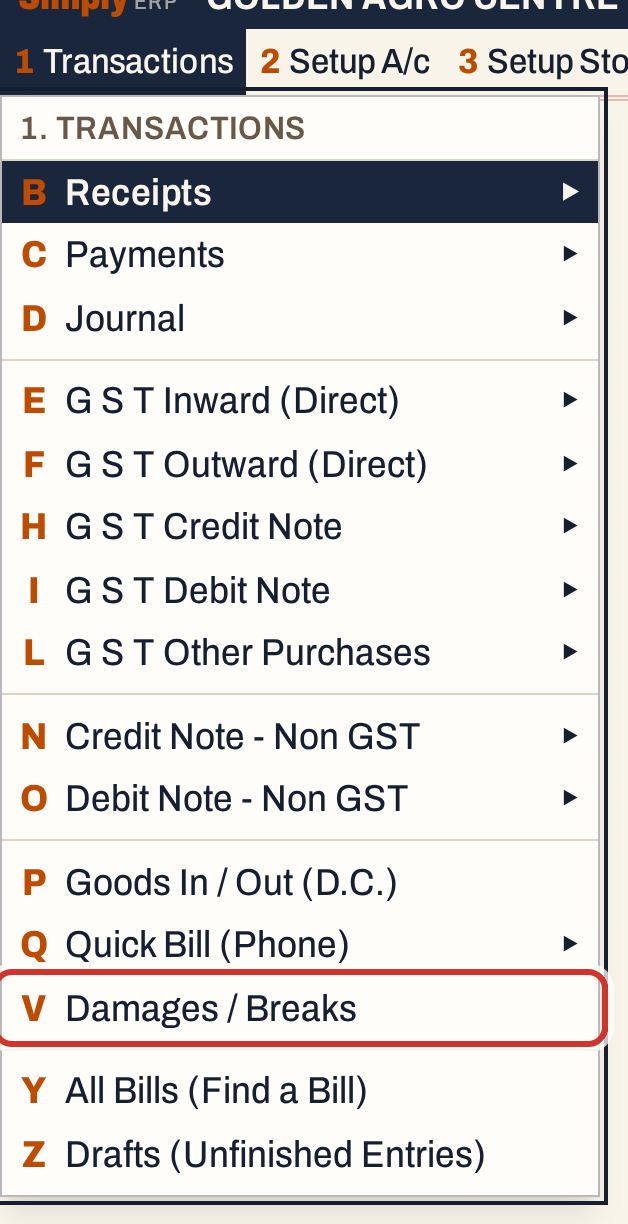 1 V: Transactions, Damages / Breaks.
The register lists the entries of the period, oldest first. The period starts as the financial year to date: here 01-04-2026 to 18-10-2026. The cursor starts on From.
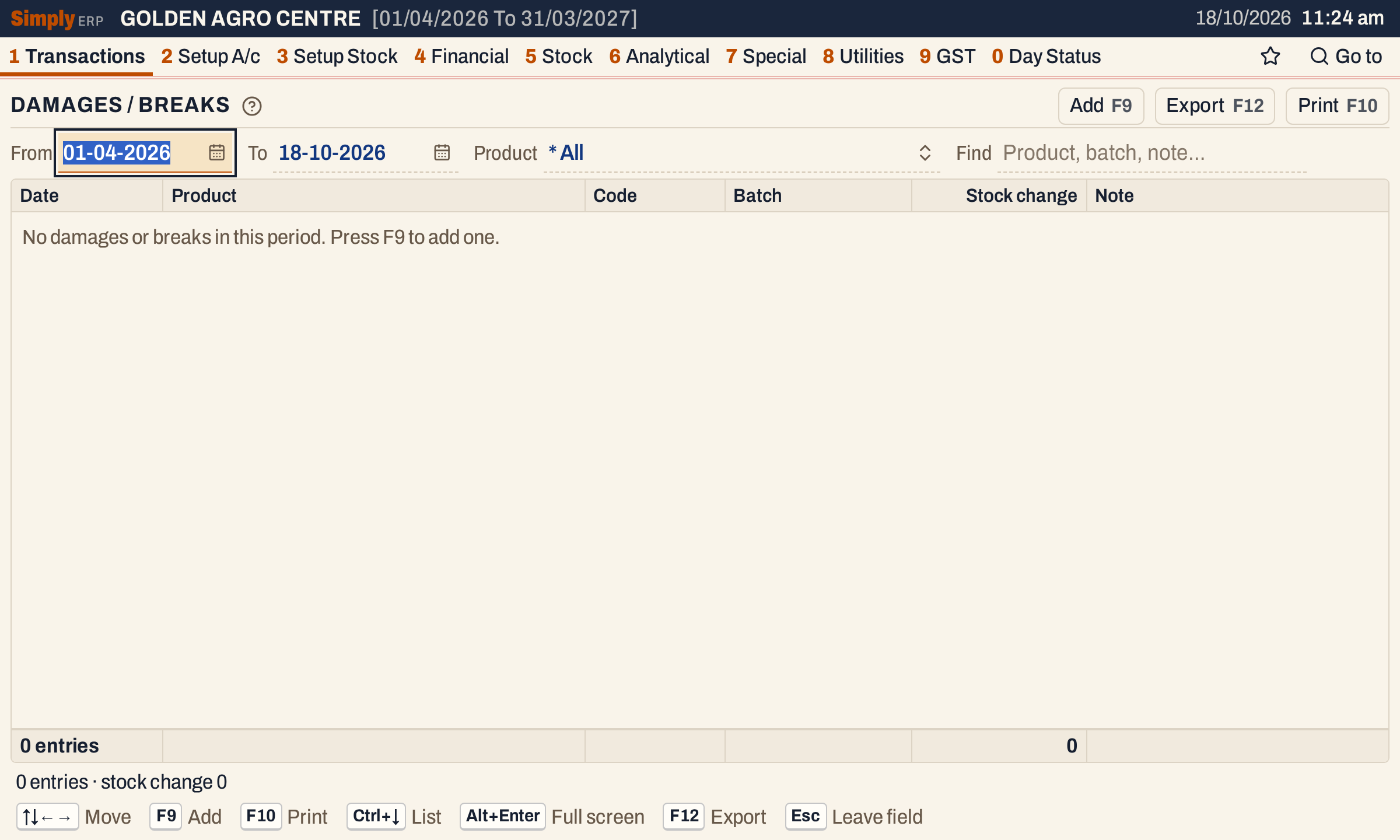 A new register. F9 adds an entry.
| Choice | What it does |
|---|---|
| From, To | Show the entries dated between these days |
| Product | Show one product only. * All shows every product. |
| Find | Keep the entries that match what you type in the product’s name or code, the batch or the note |
Add an entry
Press F9. The entry opens on a line above the register. Enter moves from field to field.
| Field | What to enter |
|---|---|
| Product | The item. Type part of its name or code and press Enter. Only items can be chosen. |
| Date | The day of the damage. It starts on today’s working date and must fall in the financial year. |
| Qty lost | The units lost, above zero |
| Batch | The batch the units came from. It is listed when the item has batches, each with its expiry date and the stock it holds. Leave it on No particular batch if you do not know. |
| Note | What happened |
The screen shows In stock, the item’s stock on hand, beside the fields.
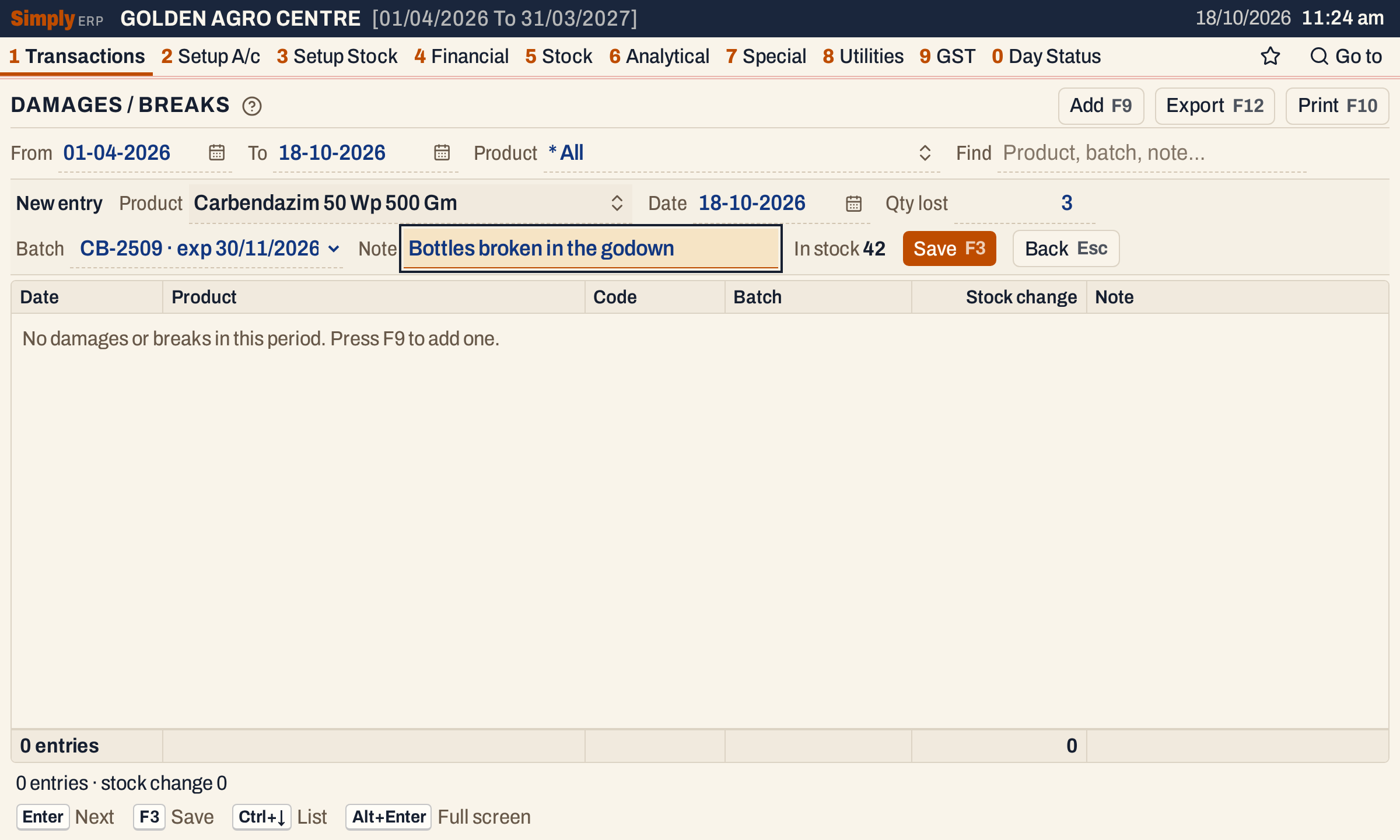 Three units of batch CB-2509 broken. The item has 42 in stock.
Press F3 to save, or Esc to go back without saving. The entry is added to the register with the units shown as a minus.
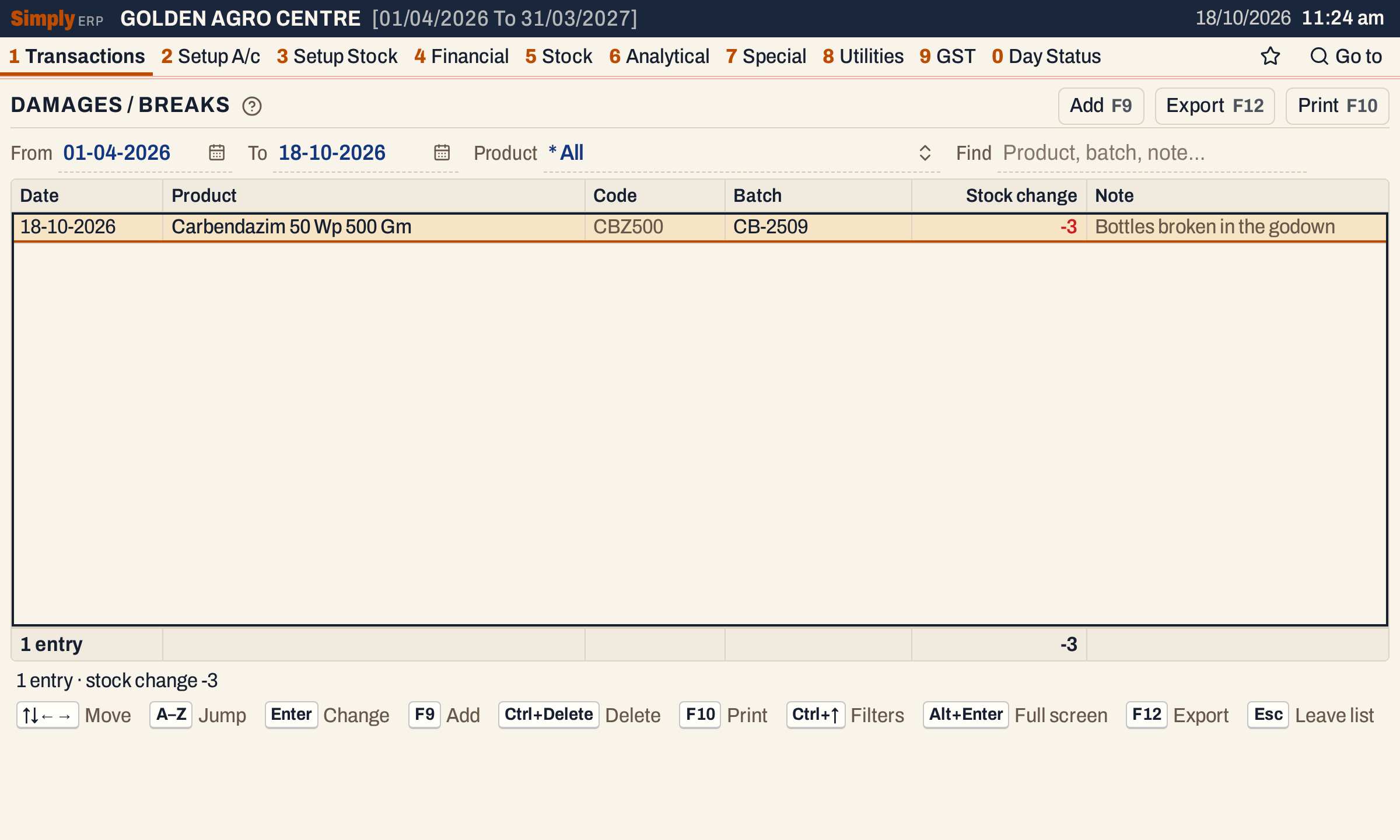 The footer adds the stock change of the entries listed.
What saving does
Saving takes the quantity off the item’s stock on hand and, when you chose a batch, off that batch’s stock. Nothing is posted to the accounts, and no bill is made.
The next time you press F9 for the item, In stock shows the new figure.
 42 in stock before, 3 lost, 39 now.
The stock statement shows the 3 units in its Damage column, counts them with the stock that left, and shows 39 as the item’s closing stock.
Change an entry
Move to the entry and press Enter. The same line opens with its values. Change them and press F3. SimplyERP puts the old quantity back and takes the new one off, so the stock follows the quantity you type, in the batch you choose.
 Qty lost changed to 4. In stock still shows 39 until the change is saved.
Delete an entry
Move to the entry and press Ctrl+Delete. A line asks you to confirm, and the cursor is on Delete. Press Enter or F3 to delete the entry, or Esc to keep it.
 Deleting is a way to take back a mistaken entry.
 The units go back to the item and its batch.
Print and export
F10 prints the list as it stands, with its total, and F12 exports it. When an admin PIN is set, changing and deleting an entry asks for it. Adding one does not.
Keys on this screen
| Key | What it does |
|---|---|
| F9 | Add an entry |
| Enter | In the list, change the entry; in the entry line, go to the next field |
| F3 | Save the entry |
| Ctrl+Delete | Delete the entry (asks first) |
| Ctrl+↓ | From the choices to the list |
| F10 | |
| F12 | Export |
| Esc | Leave the entry line, or the register |
Common questions
Does a damage post anything to my accounts? No. Damages / Breaks changes quantities only. It posts nothing to any account.
Can I record a loss without knowing the batch? Yes. Leave Batch on No particular batch. The item’s stock on hand falls, but no batch’s stock does.
Can I use it to add stock? This screen is for losses. To bring goods into stock before their bill arrives, use Goods in and out. For the stock you hold at the start of the year, see Opening stock.
Updated 4 November 2026.